Memorizzare Crypto su Ergo: Nautilus Wallet
10 marzo 2022
Nell'ultimo mese, c'è stato un significativo aumento dell'infrastruttura dell'ecosistema di Ergo. Fino a poco tempo fa, gli utenti erano limitati nella scelta dei portafogli, ma ora gli Ergonauti hanno diverse opzioni per memorizzare il loro ERG, i token nativi e gli NFT. Nelle prossime settimane, offriremo guide pratiche per ciascuno di questi nuovi portafogli in modo che tutti gli utenti, nuovi ed esistenti, possano sentirsi a proprio agio e sicuri nel navigare tra i vari portafogli di Ergo.
Per questo blog, esamineremo come installare e utilizzare il nuovo Nautilus Wallet. Se sei già familiare con i portafogli crypto e come usarli, puoi procedere al download del portafoglio qui. Se hai domande su questo portafoglio, puoi anche iscriverti al Canale Telegram di Nautilus e interagire direttamente con lo sviluppatore e altri membri della comunità.
Panoramica di Nautilus Wallet
Caratteristiche attuali
- Portafoglio estensione per browser web
- Connettività dApp consente interazione con le dApp di Ergo
- Modalità privacy
- Sincronizzazione rapida ed efficiente con la blockchain
Caratteristiche future
- Integrazione Ledger (portafoglio hardware)
- Integrazione ErgoMixer
- Indirizzi Stealth
- Visualizzazione NFT
- Integrazione DexyUSD
- Integrazione ErgoDEX per scambi in-portafoglio
- Integrazione ErgoDNS
- Integrazione ErgoHandle
Installazione
Il Nautilus Wallet è attualmente disponibile solo per browser basati su chromium. Ai fini di questa dimostrazione, passeremo attraverso la configurazione in Google Chrome.
- Scarica il Nautilus Wallet dal Google Web Store: https://chrome.google.com/webstore/detail/nautilus-wallet/gjlmehlldlphhljhpnlddaodbjjcchai
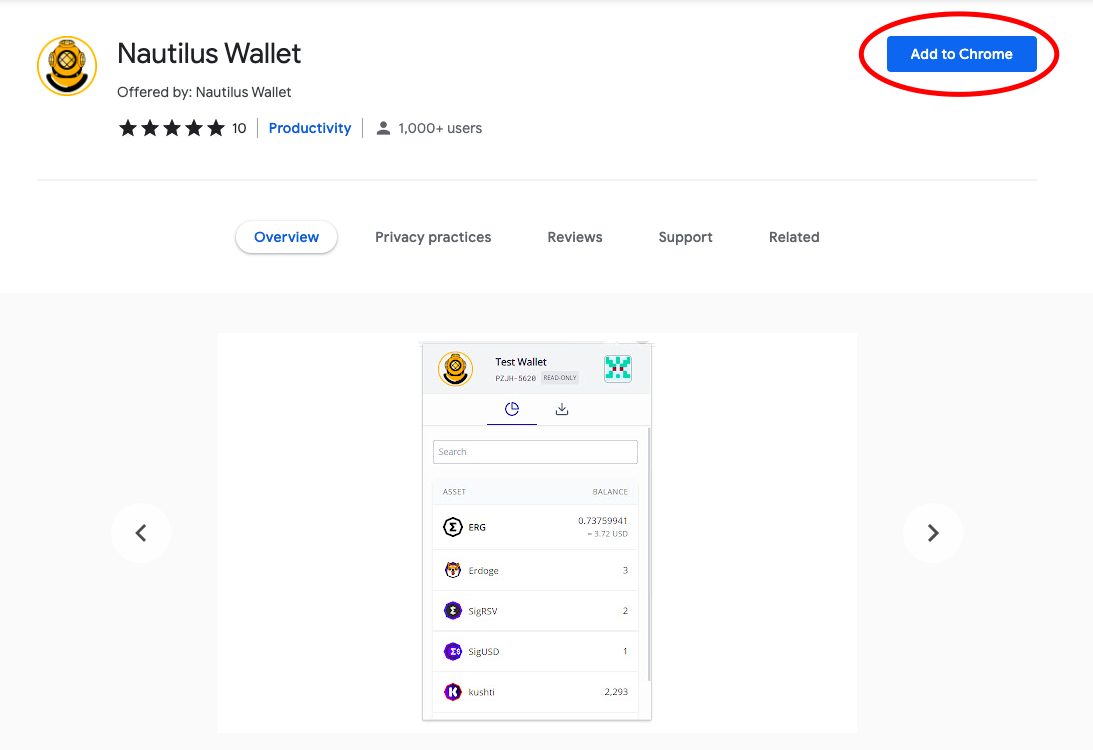
- Clicca sulla scheda Aggiungi a Chrome (evidenziata dal cerchio rosso nell'immagine sopra).
- Apparirà un pop-up che ti inviterà ad Aggiungere l'estensione.
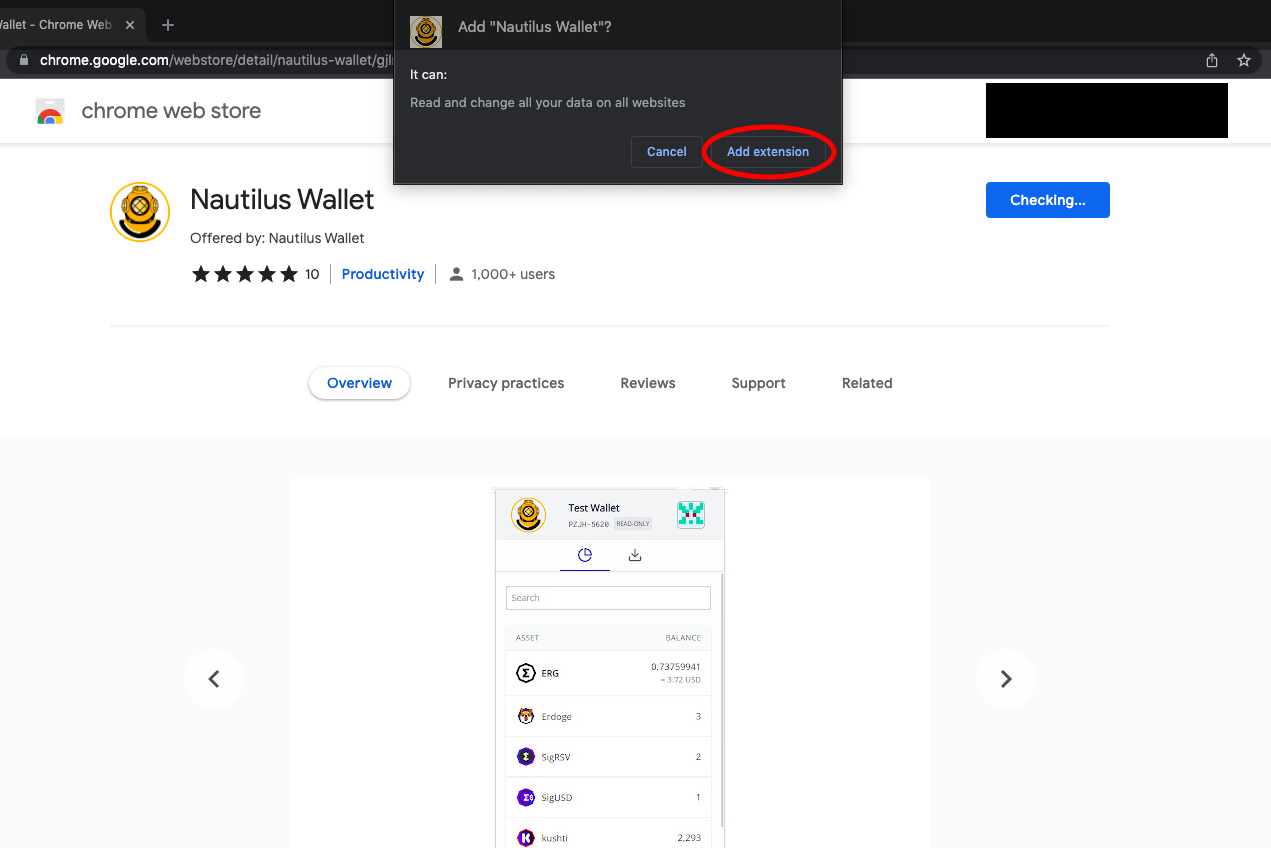
- Dopo aver selezionato Aggiungi estensione, vedrai la seguente schermata:
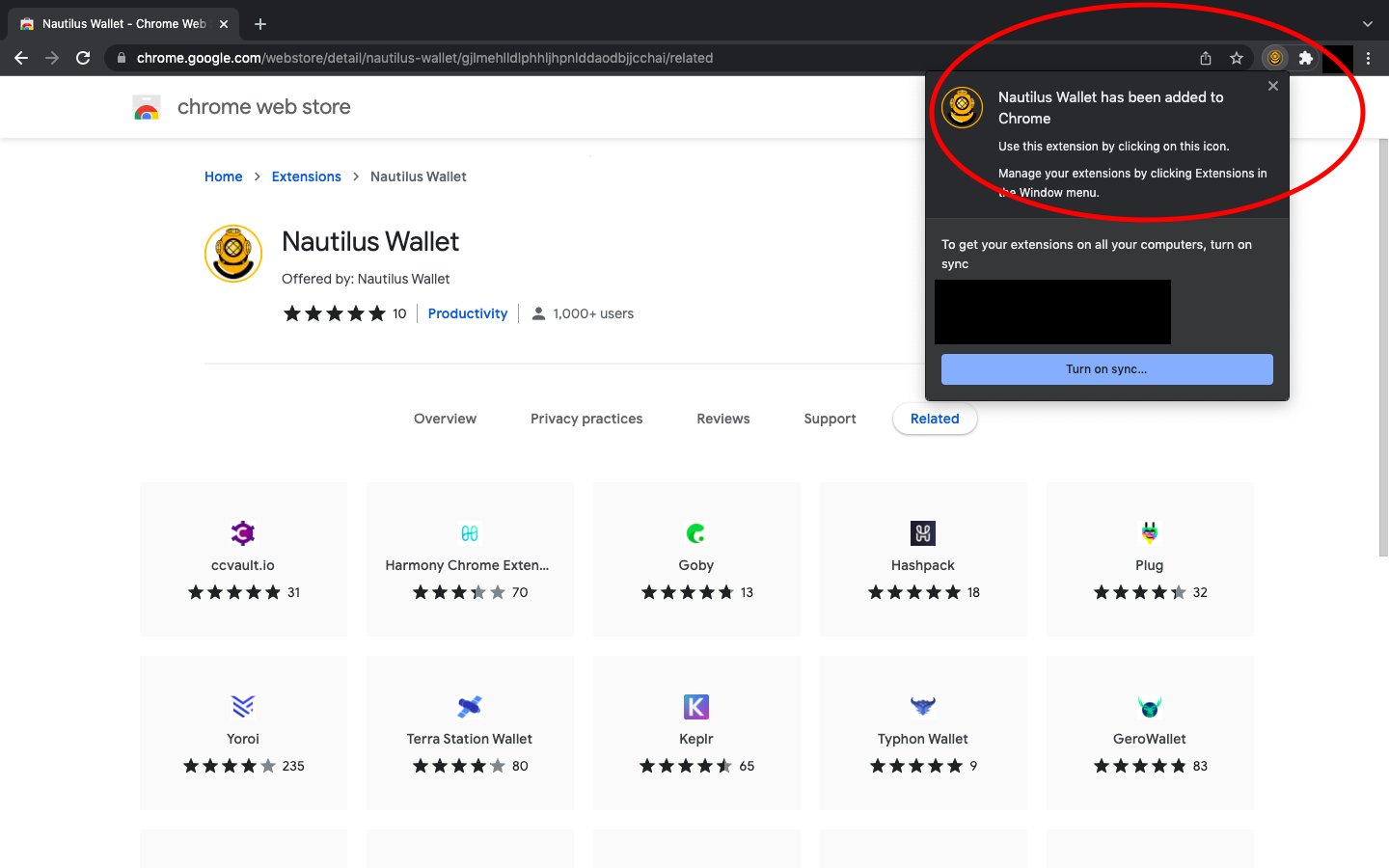
Il portafoglio è ora installato sul tuo browser web!
Apertura di Nautilus Wallet
- Ogni volta che vuoi accedere al tuo Nautilus Wallet, basta accedere alla scheda delle estensioni sul tuo browser web (sembra un pezzo di puzzle nell'angolo in alto a destra del browser).
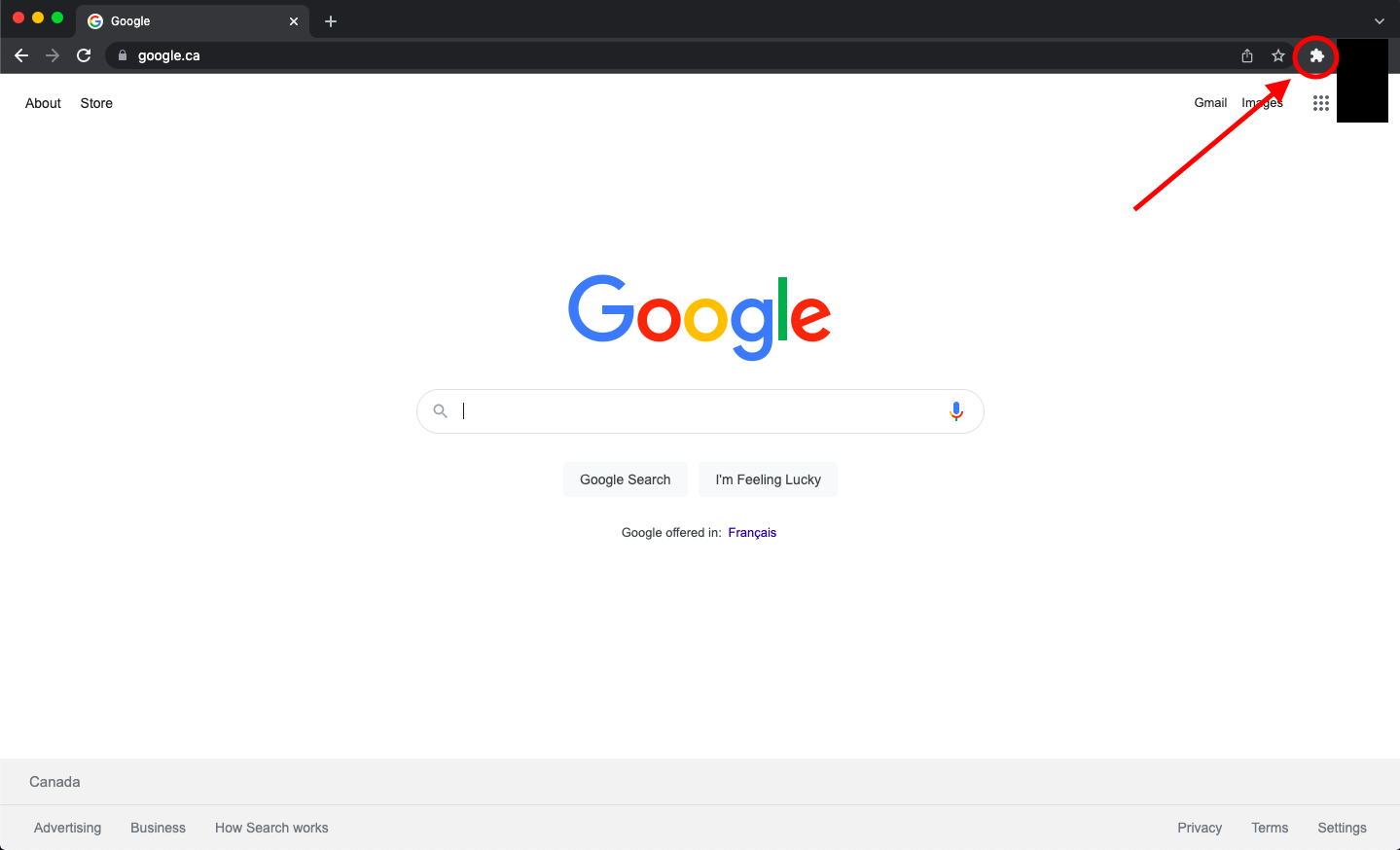
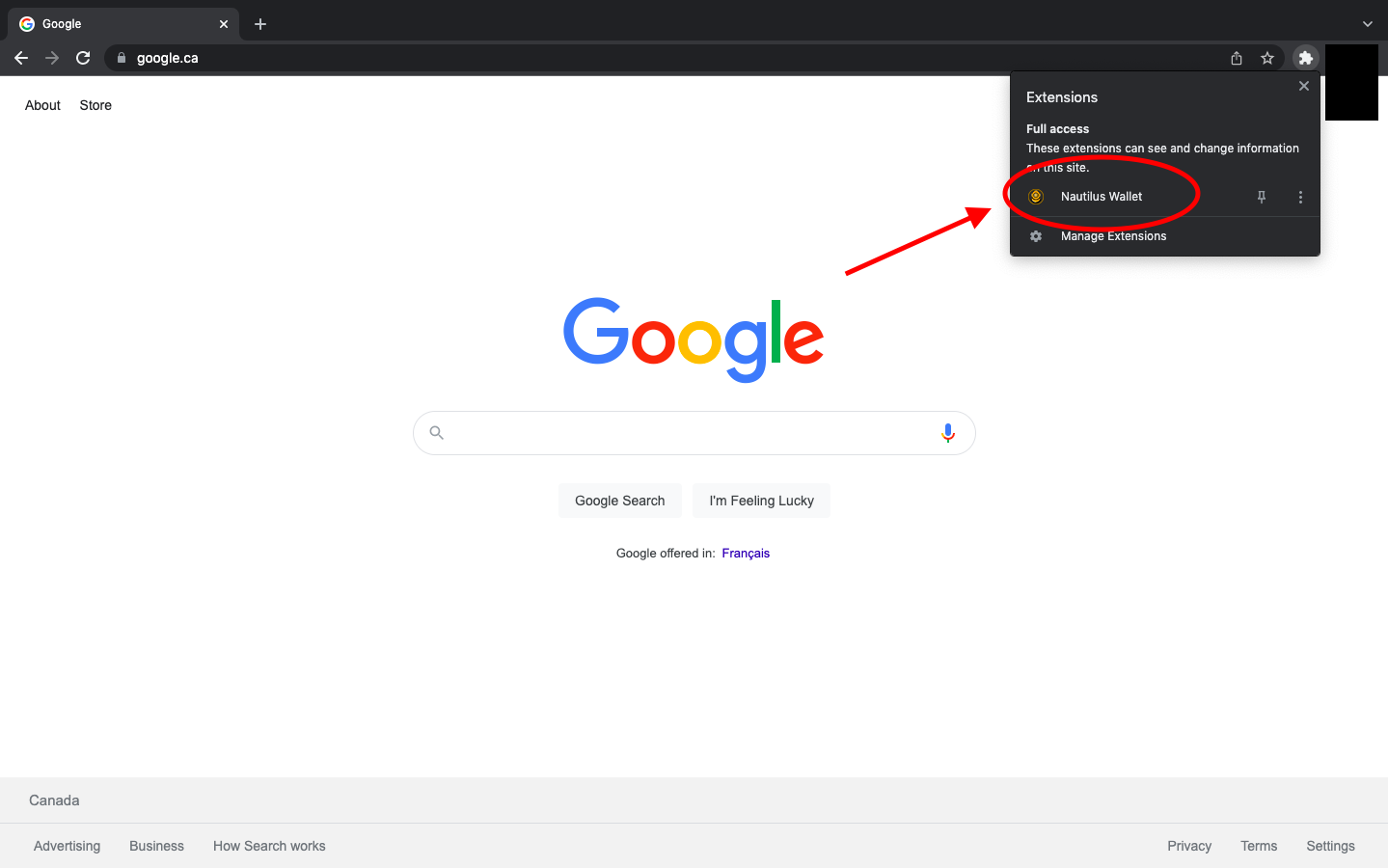
- Clicca su Nautilus Wallet.
- Quando apri Nautilus Wallet per la prima volta, ti verrà chiesto di leggere e riconoscere il KYA - Know Your Assumptions.
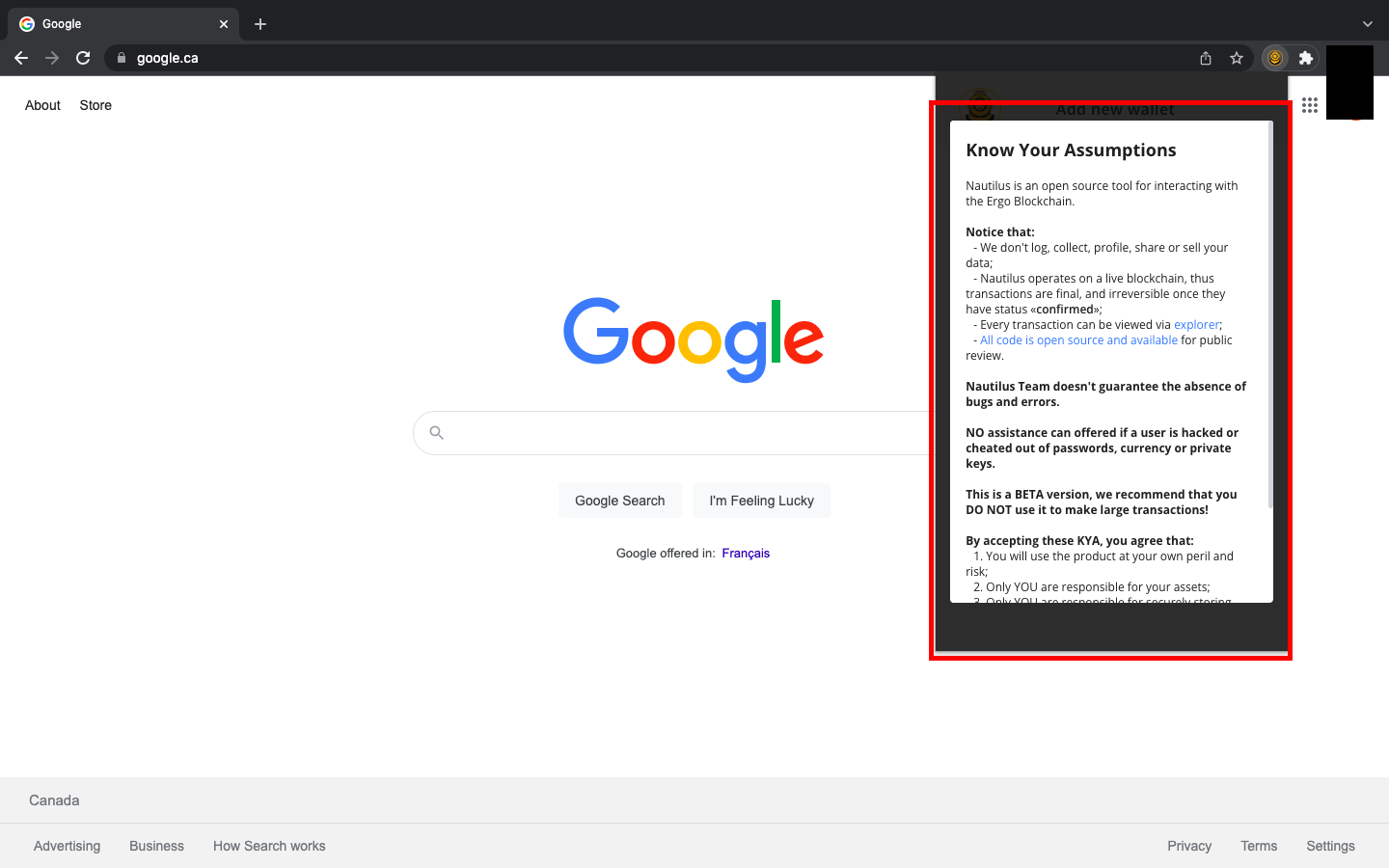
- Scorri fino in fondo al KYA e seleziona HO COMPRESO E ACCETTO IL KYA.
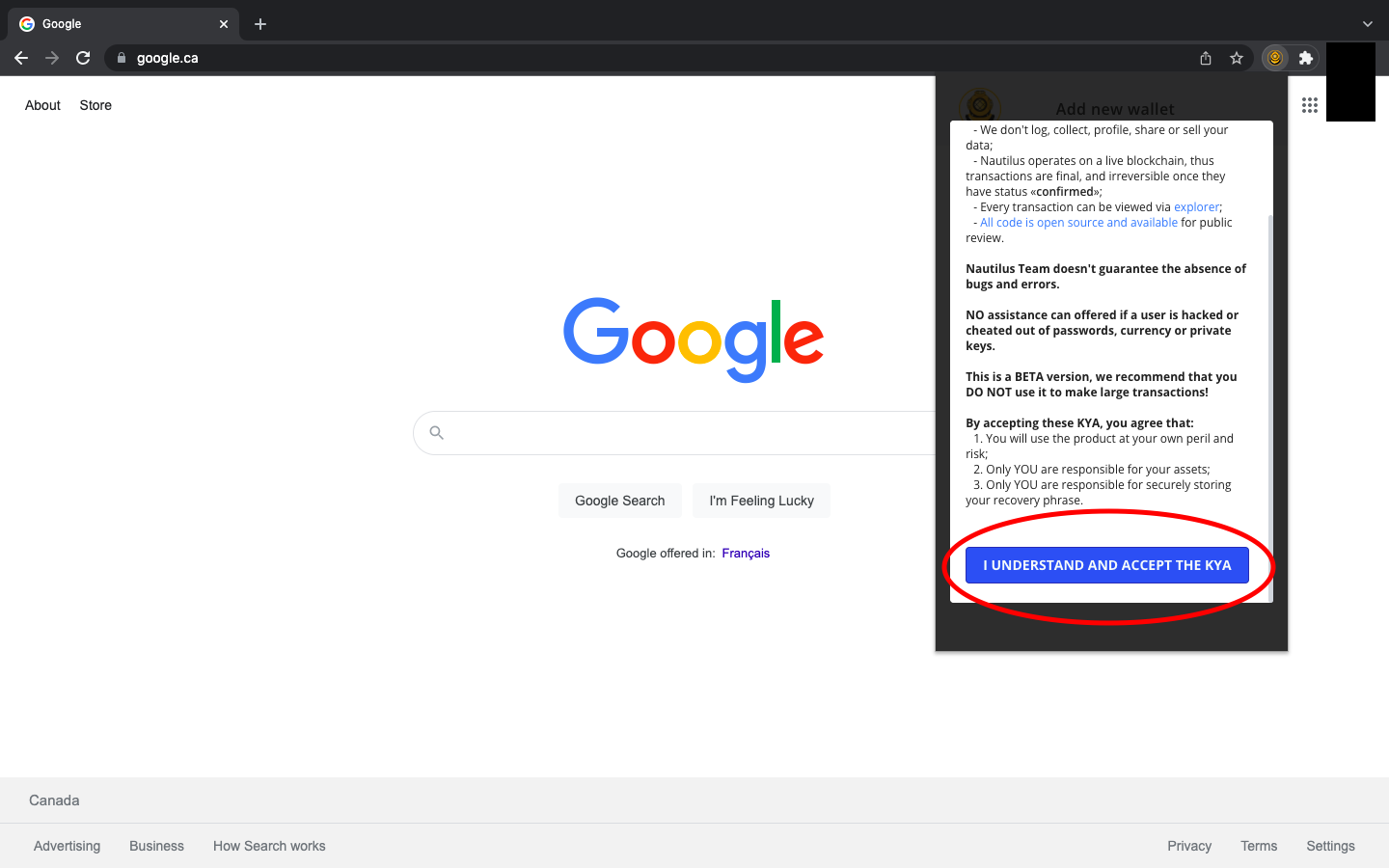
- Una volta accettato il KYA, ti verranno mostrate tre opzioni:
- Crea Portafoglio
- Ripristina Portafoglio
- Carica Portafoglio in sola lettura
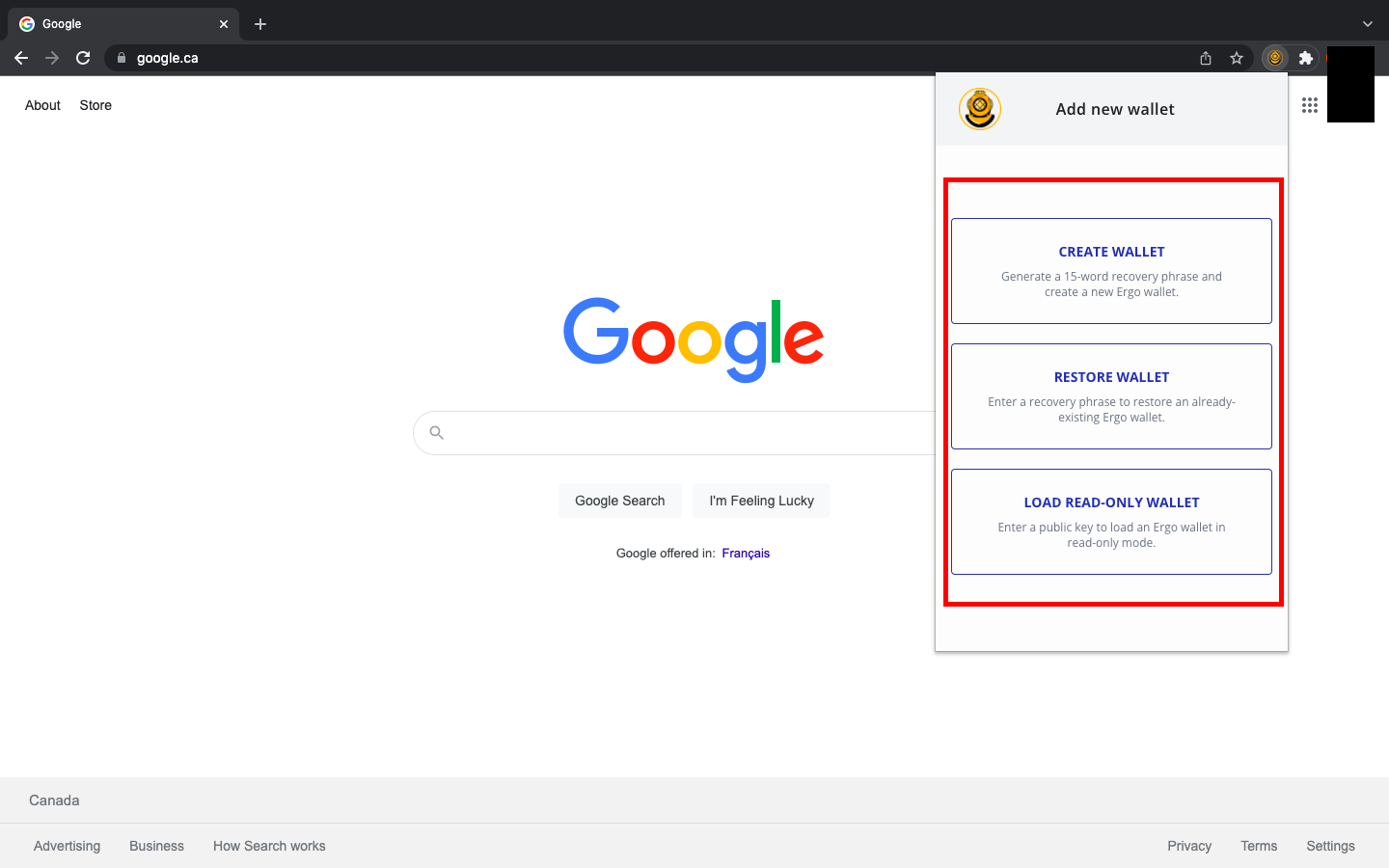
Se hai esperienza precedente con i portafogli Ergo, puoi ripristinare il tuo portafoglio in Nautilus con la tua frase seed. Se hai portafogli Ergo preesistenti, puoi anche decidere di utilizzare Nautilus come portafoglio in sola lettura inserendo la tua chiave pubblica. Se è la tua prima volta che usi un portafoglio Ergo, selezionerai Crea Portafoglio.
Creazione di un Portafoglio e Comprensione delle Caratteristiche
Quando crei un portafoglio per la prima volta, ci sono alcune importanti regole di sicurezza da seguire. La cosa più importante è scrivere la tua password e la tua frase seed solo su carta. Non memorizzare queste informazioni digitalmente e non scattare foto. La tua frase seed è la tua linea di difesa contro attori malintenzionati. Se qualcuno riesce ad accedere alla tua frase seed, potrebbe prendere il controllo del tuo portafoglio e di tutti gli asset che hai memorizzato.
Dopo aver selezionato Crea Portafoglio, vedrai una schermata in cui puoi nominare il tuo portafoglio, creare la tua password e annotare la tua frase seed di recupero. Apparirà così:
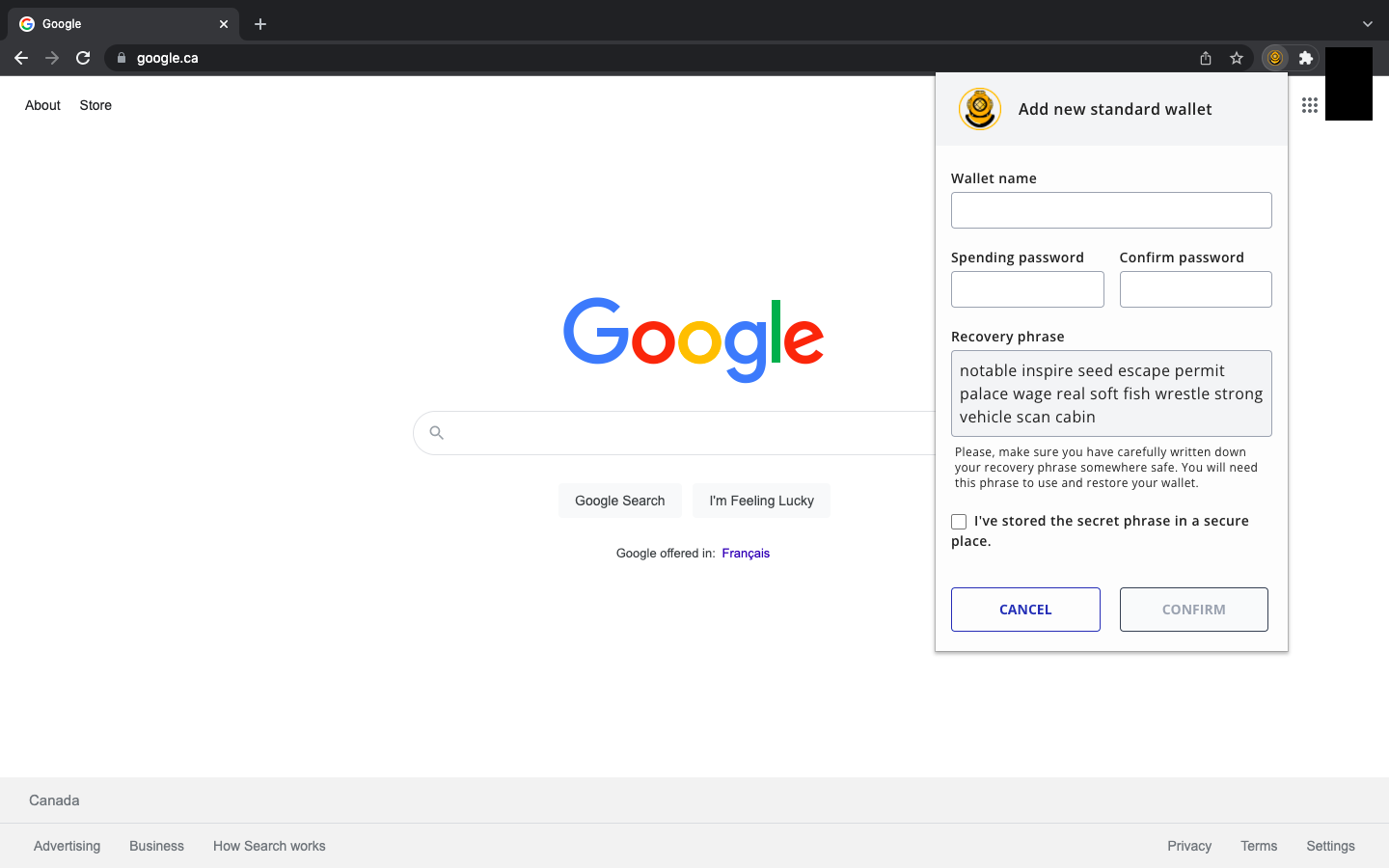
Può sembrare ovvio, ma la tua frase seed sarà diversa da quella che vedi nell'immagine sopra.
PROMEMORIA: Scrivi la tua frase seed e la tua password su carta. Puoi fare diverse copie e conservarle in luoghi sicuri.
Dopo aver creato la tua password e memorizzato la tua frase seed di recupero, selezionerai Conferma e vedrai quanto segue:
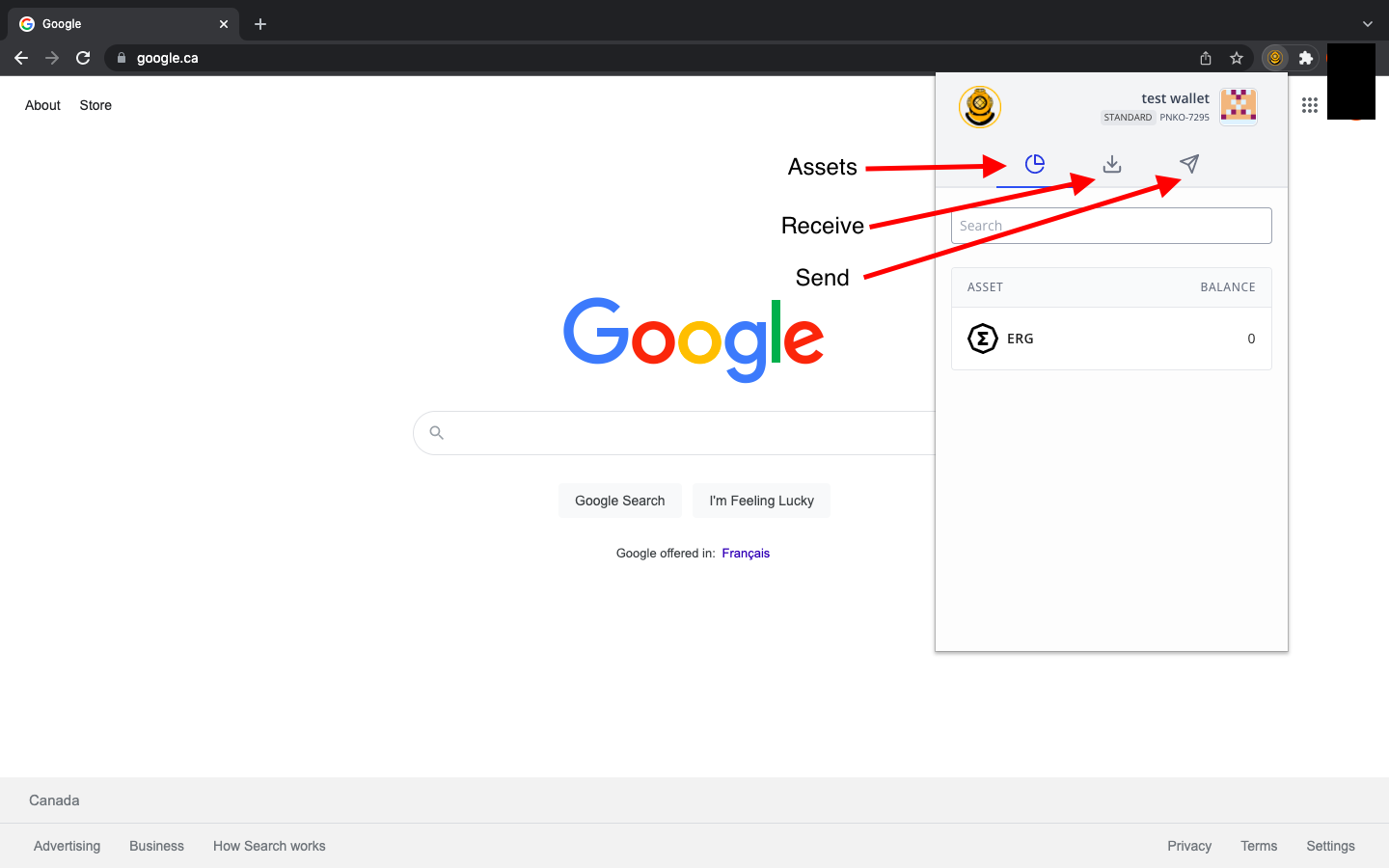
- La scheda Asset mostrerà il tuo ERG, NFT e altri token nativi.
- La scheda Ricevi mostrerà l'indirizzo che condividi per ricevere qualsiasi asset di Ergo.
- La scheda Invia ti permetterà di inserire un indirizzo di ricezione in modo da poter inviare asset/pagamenti di Ergo a un altro portafoglio.
Quando ti prepari a ricevere asset, vedrai la seguente schermata dopo aver selezionato la scheda Ricevi:
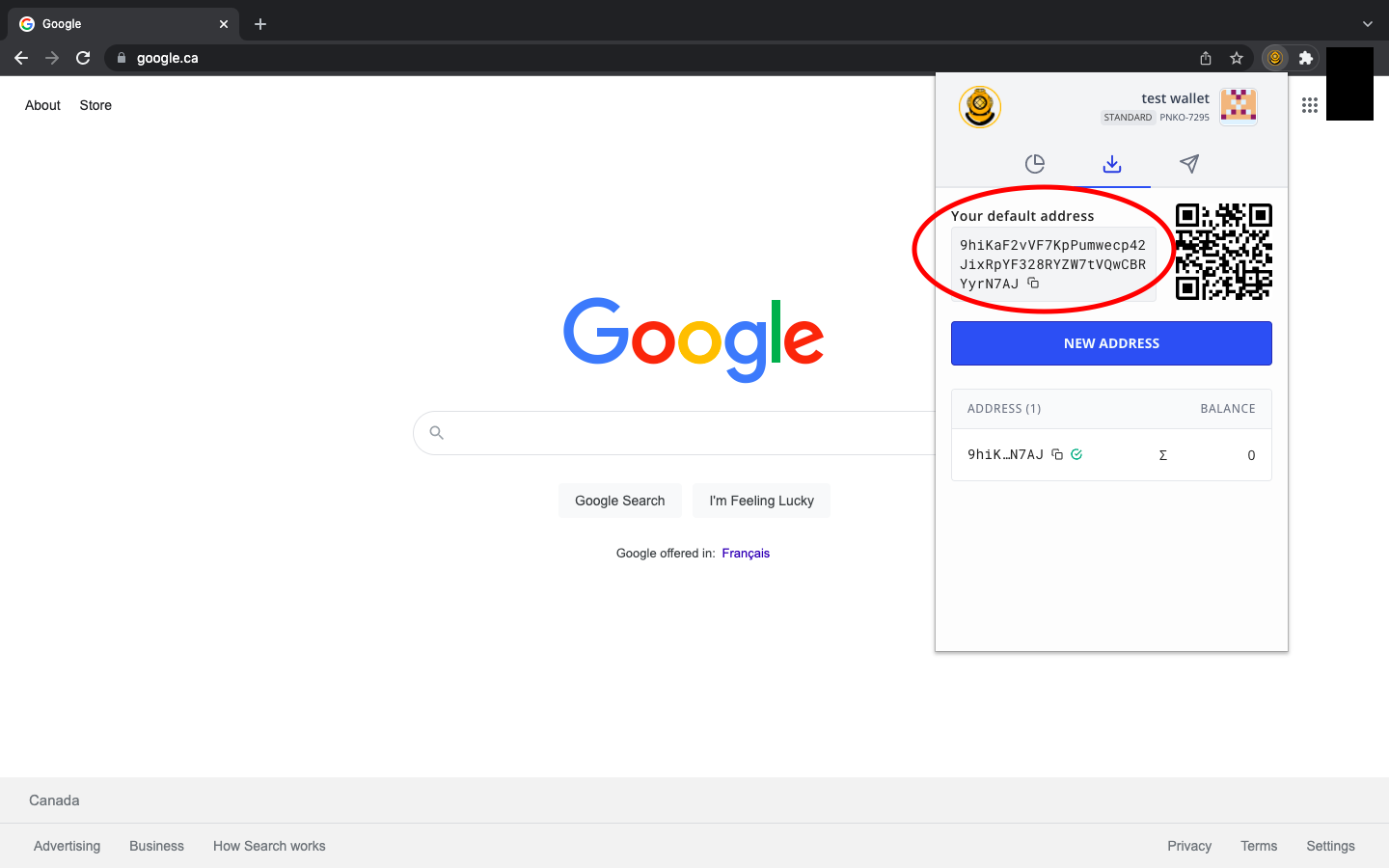
Il tuo indirizzo di ricezione apparirà come una serie di numeri e lettere, simile all'indirizzo nell'immagine sopra. Se è la tua prima volta che usi un portafoglio Ergo (o qualsiasi altro portafoglio crypto), ti preghiamo di notare che il tuo indirizzo sarà completamente diverso da quello che vedi nell'immagine.
Se stai condividendo il tuo indirizzo di ricezione, basta copiarlo negli appunti del computer e inviarlo alla persona o al contratto intelligente con cui stai interagendo. Puoi facilmente copiare l'indirizzo facendo clic sui due quadrati sovrapposti alla fine dell'indirizzo.
Quando invii asset a una persona, a un exchange o a un contratto intelligente, vedrai quanto segue:
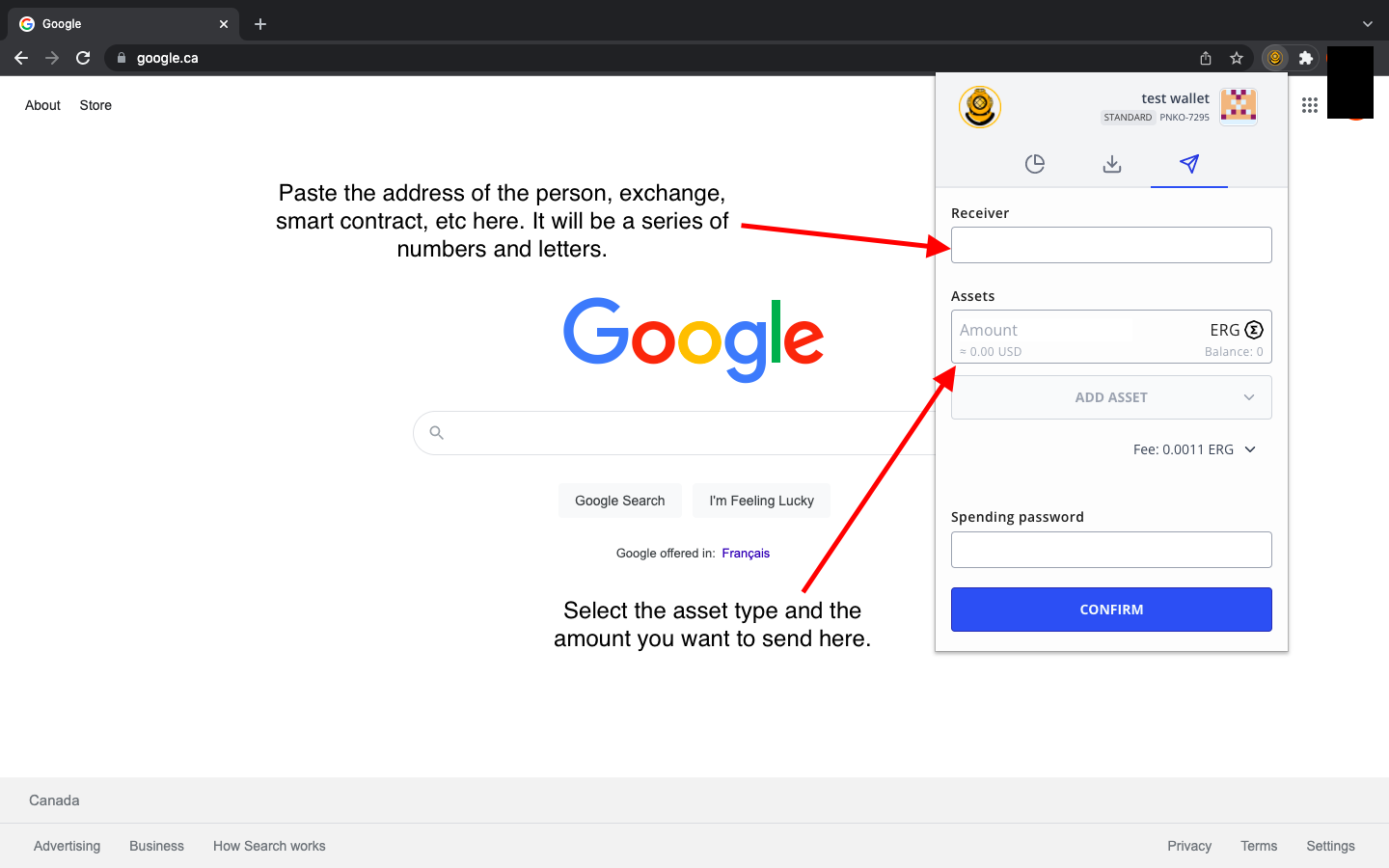
Inserirai l'indirizzo di ricezione della persona, dell'exchange, del contratto intelligente, ecc. Poi, selezionerai l'asset (può essere ERG, un token nativo, un NFT, ecc.) e inserirai quanto stai inviando. Per completare la transazione, digiti la tua password del portafoglio e poi selezioni Conferma. Questo è tutto! Questo è come invii e ricevi asset nel Nautilus Wallet.
Ci sono alcune altre funzionalità di cui essere a conoscenza mentre ti familiarizzi con l'interfaccia del portafoglio. Puoi accedere a più opzioni facendo clic sul nome del portafoglio nell'angolo in alto a destra dell'applicazione.
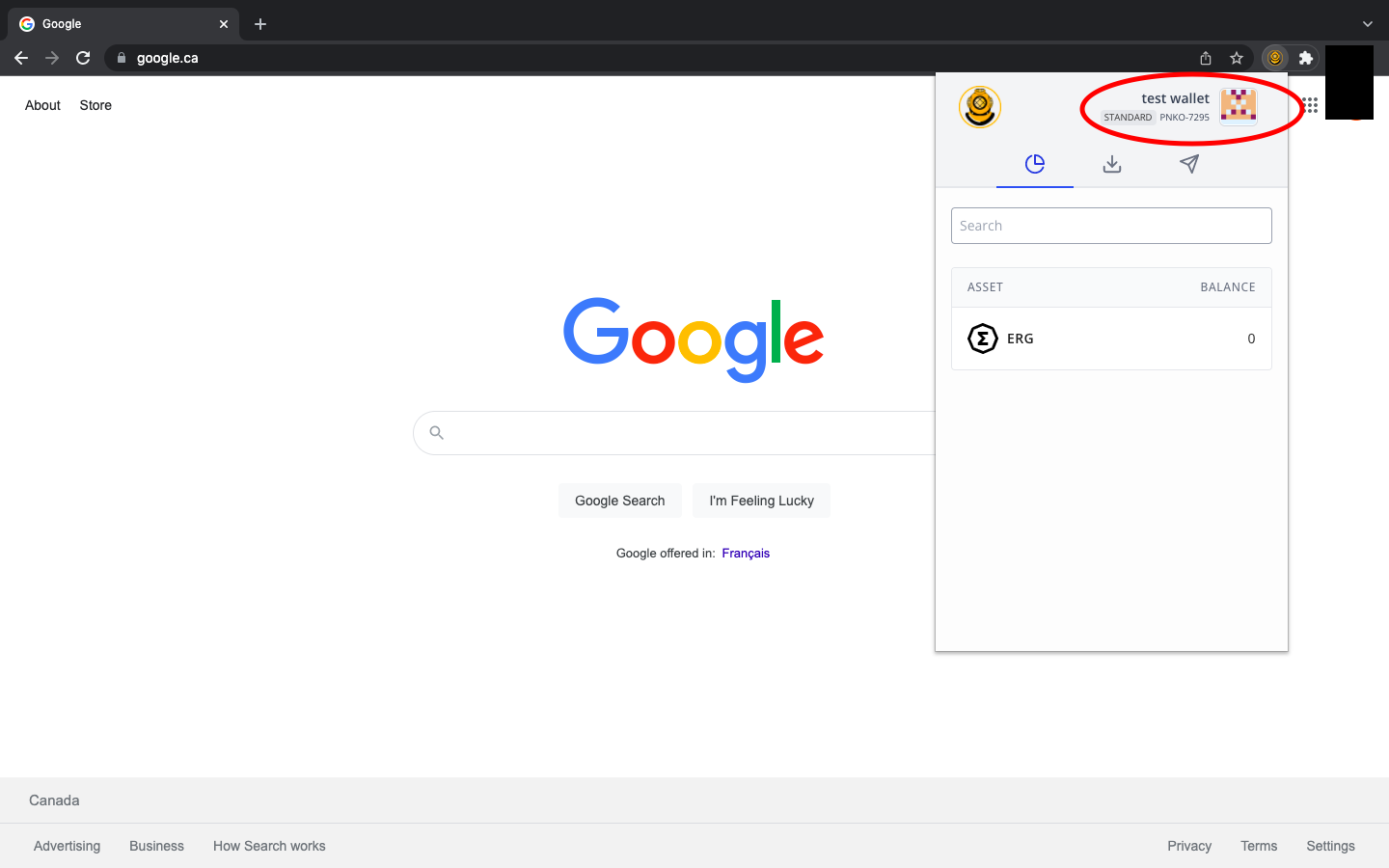
Dopo aver cliccato sul nome del portafoglio, inizialmente avrai quattro (4) opzioni:
- Aggiungi nuovo portafoglio - consente semplicemente di aggiungere ulteriori portafogli Ergo
- Espandi visualizzazione - consente di visualizzare l'applicazione come una pagina web completa
- Impostazioni - impostazioni aggiuntive di cui discuteremo di seguito.
- Informazioni - fornisce informazioni sull'applicazione e un indirizzo di ricezione del portafoglio Ergo per contribuire al supporto finanziario per lo sviluppo continuo del portafoglio.
Se utilizzi questo portafoglio per interagire con qualsiasi applicazione decentralizzata (dApp), vedrai una quinta opzione (dApp collegate) che ti permetterà di controllare quali dApp sono collegate al tuo portafoglio.
Diamo un'occhiata all'opzione Impostazioni. Come accennato in precedenza in questa guida, il Nautilus Wallet ha alcune caratteristiche uniche di privacy.
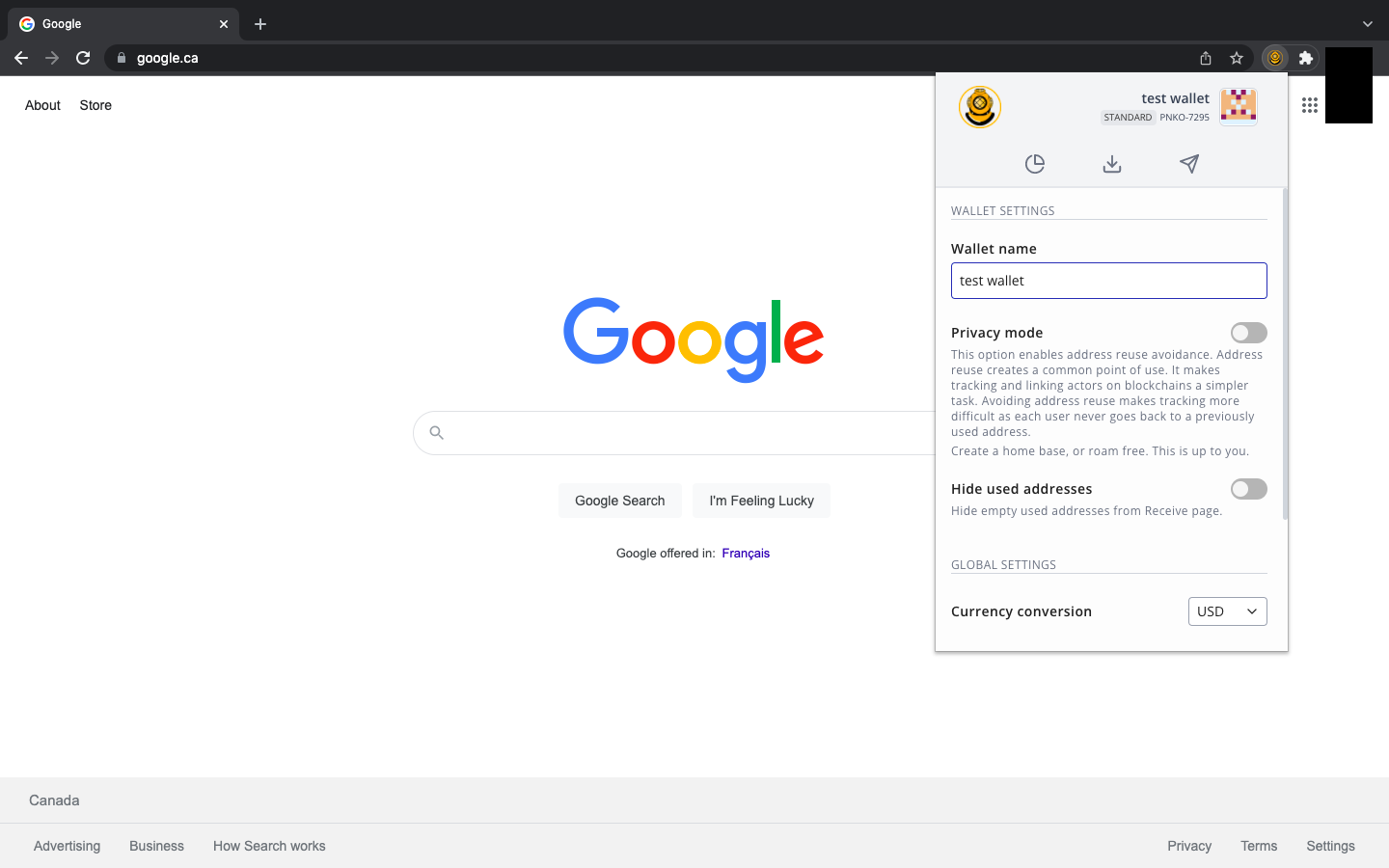
Come puoi vedere dall'immagine sopra, c'è un'opzione Modalità privacy. Quando attivi questa funzione, il tuo portafoglio creerà un nuovo indirizzo di ricezione per ogni nuova transazione. In altre parole, ogni volta che ricevi asset, la prossima volta che vai a copiare il tuo indirizzo di ricezione, (sotto la scheda Ricevi) ti verrà fornito un indirizzo completamente nuovo. Questa funzione rende più difficile per attori malintenzionati o entità invasive tracciare la tua attività sulla blockchain. Abilitare questa funzione offre maggiore privacy riguardo alle tue finanze.
Funzionalità aggiuntive ti consentono di nascondere indirizzi di ricezione precedentemente utilizzati e di regolare la conversione dell'ERG nella tua valuta fiat preferita.
Ben fatto! Hai configurato il tuo Nautilus Wallet e hai esplorato tutte le funzionalità integrate in questo prodotto. Con questo portafoglio, puoi facilmente interagire con diverse dApp nell'ecosistema di Ergo, inclusi** ErgoPad, la Casa d'Asta NFT, ErgoDEX e SigmaUSD.**
Share post
13 agosto 2025

9 luglio 2025

12 maggio 2025


7 agosto 2022