Armazenando Cripto no Ergo: Carteira Nautilus
10 de março de 2022
No último mês, houve um aumento significativo na infraestrutura do ecossistema do Ergo. Até recentemente, os usuários estavam limitados em suas opções de carteiras, mas agora os Ergonautas têm várias opções para armazenar seu ERG, tokens nativos e NFTs. Nas próximas semanas, ofereceremos guias de como fazer para cada uma dessas novas carteiras, para que todos os usuários, novos e existentes, possam se sentir confortáveis e confiantes ao navegar pelas várias carteiras do Ergo.
Para este blog, vamos abordar como instalar e usar a nova Carteira Nautilus. Se você já está familiarizado com carteiras de cripto e como usá-las, pode prosseguir para baixar a carteira aqui. Se você tiver alguma dúvida sobre esta carteira, também pode se inscrever no Canal do Telegram da Nautilus e interagir diretamente com o desenvolvedor e outros membros da comunidade.
Visão Geral da Carteira Nautilus
Recursos Atuais
- Carteira de extensão para navegador web
- Conectividade dApp permite interação com dApps do Ergo
- Modo de privacidade
- Sincronização rápida e eficiente com a blockchain
Recursos Futuros
- Integração com Ledger (carteira de hardware)
- Integração com ErgoMixer
- Endereços Stealth
- Exibição de NFT
- Integração com DexyUSD
- Integração com ErgoDEX para trocas dentro da carteira
- Integração com ErgoDNS
- Integração com ErgoHandle
Instalação
A Carteira Nautilus está atualmente disponível apenas para navegadores baseados em Chromium. Para os propósitos desta demonstração, vamos passar pela configuração no Google Chrome.
- Baixe a Carteira Nautilus na Google Web Store: https://chrome.google.com/webstore/detail/nautilus-wallet/gjlmehlldlphhljhpnlddaodbjjcchai
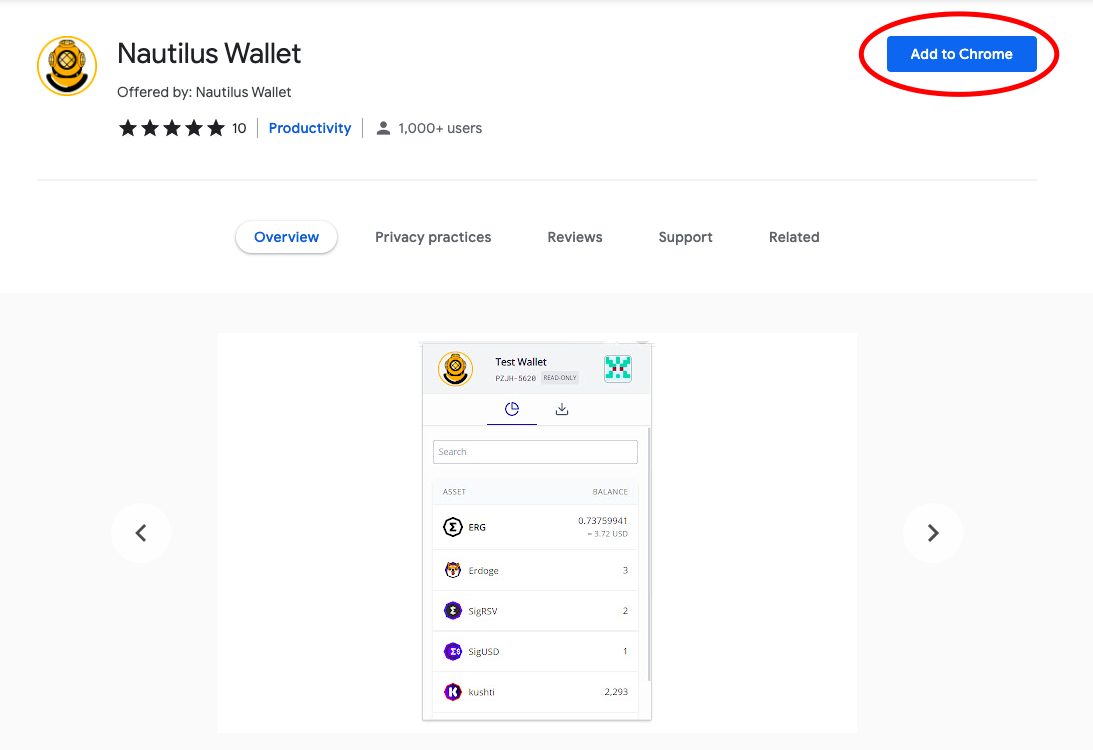
- Clique na aba Adicionar ao Chrome (destacada pelo círculo vermelho na imagem acima).
- Um pop-up aparecerá e solicitará que você Adicione a extensão.
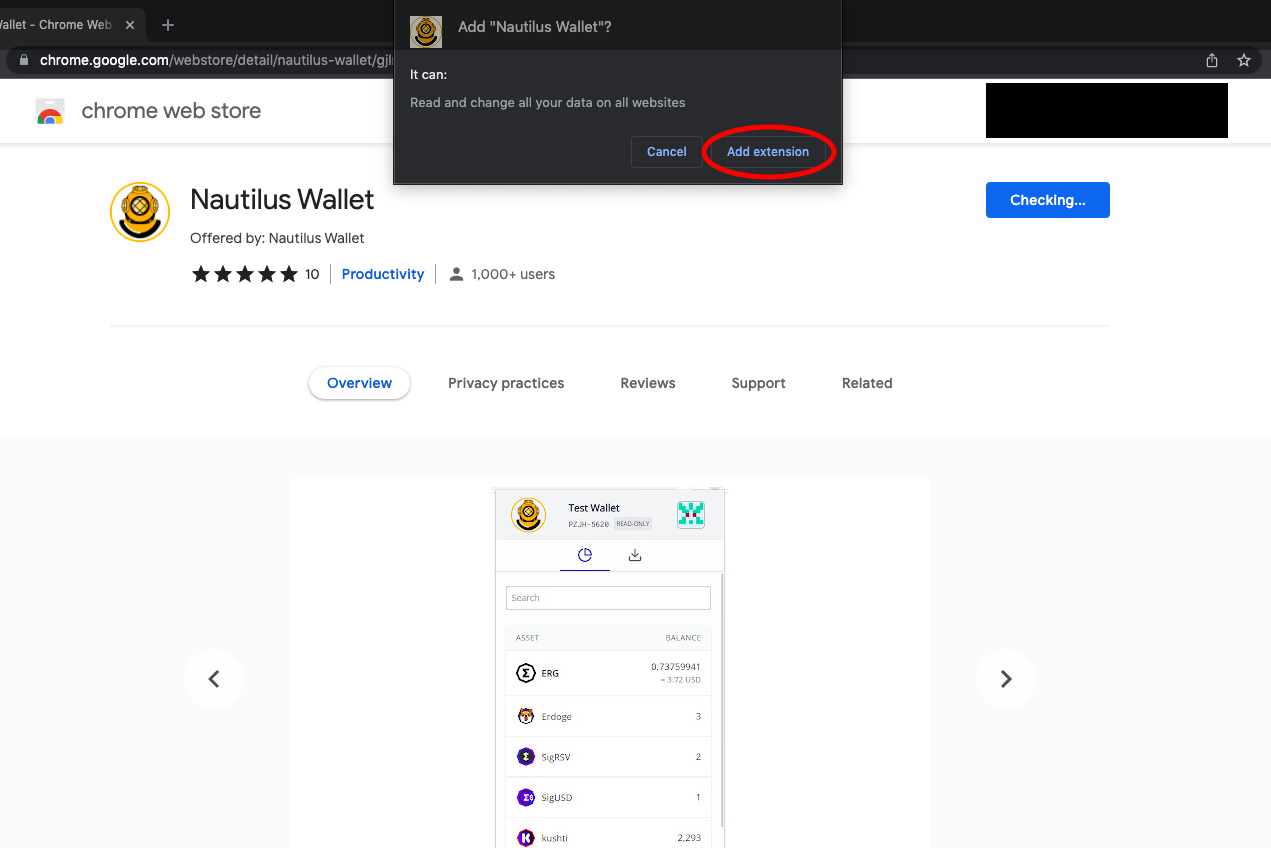
- Após selecionar Adicionar extensão, você verá a seguinte tela:
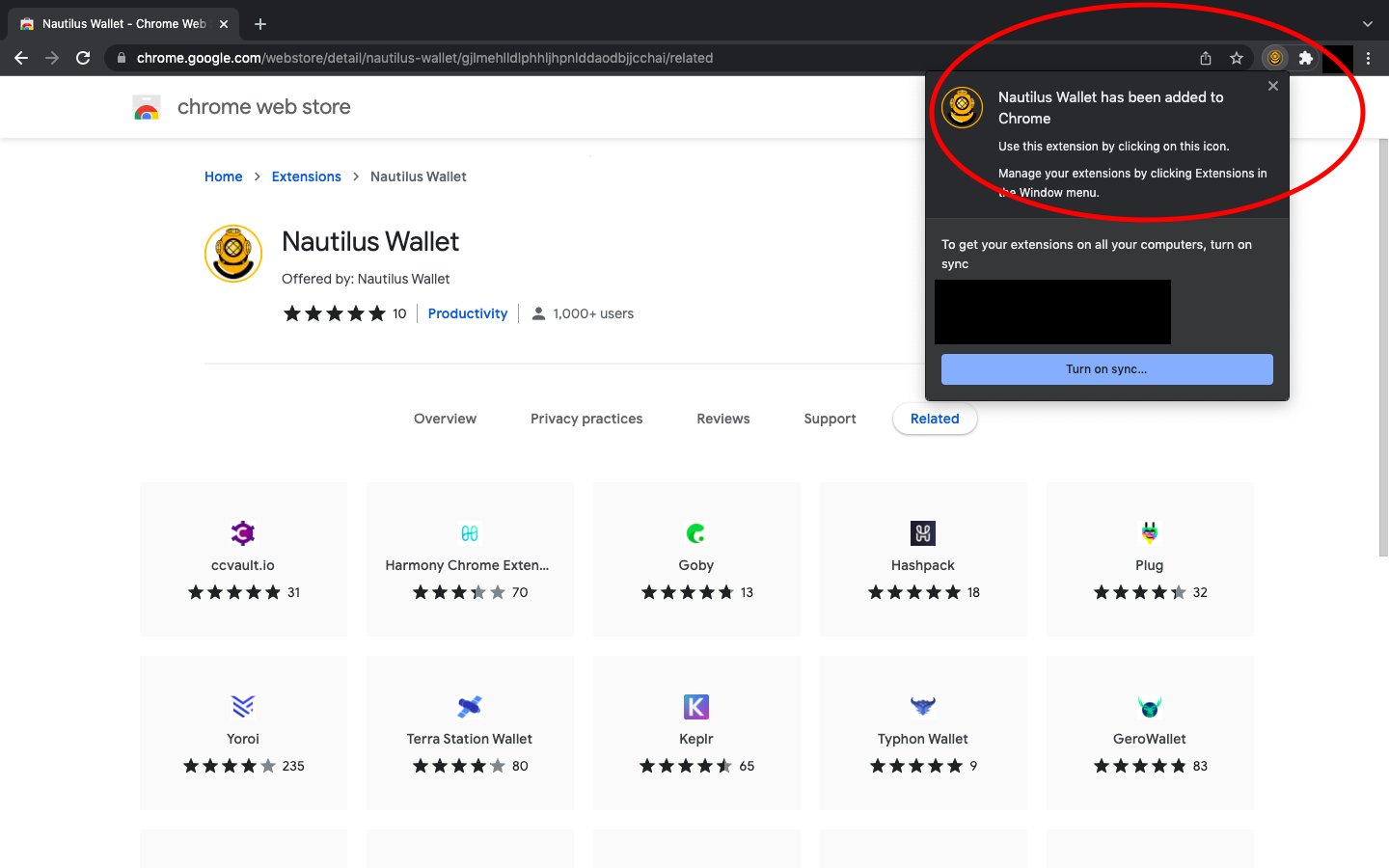
A carteira agora está instalada no seu navegador web!
Abrindo a Carteira Nautilus
- Sempre que você quiser acessar sua Carteira Nautilus, basta acessar a aba de extensões no seu navegador web (ela se parece com uma peça de quebra-cabeça no canto superior direito do navegador).
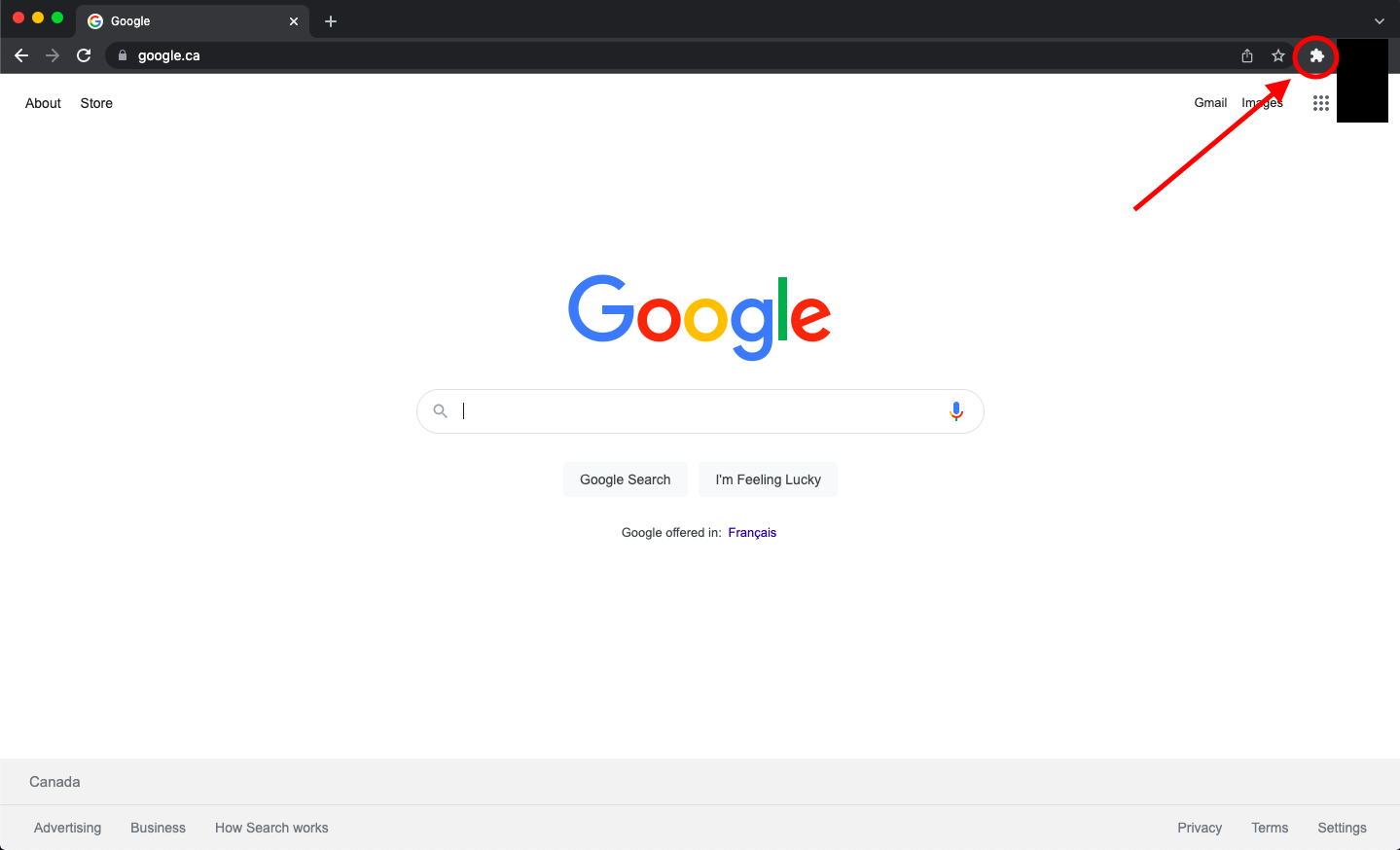
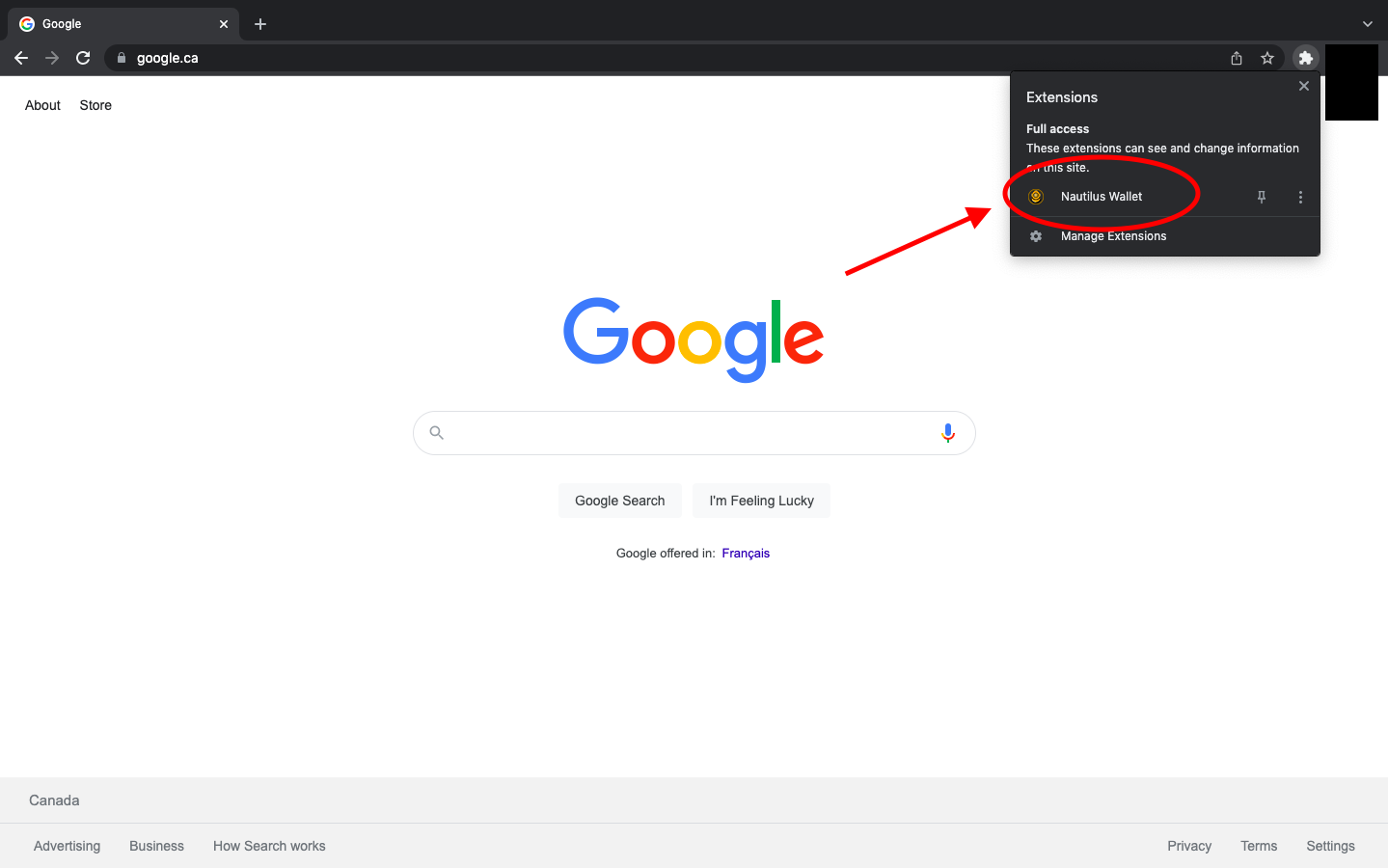
- Clique na Carteira Nautilus.
- Ao abrir a Carteira Nautilus pela primeira vez, você será solicitado a ler e reconhecer o KYA - Conheça Suas Suposições.
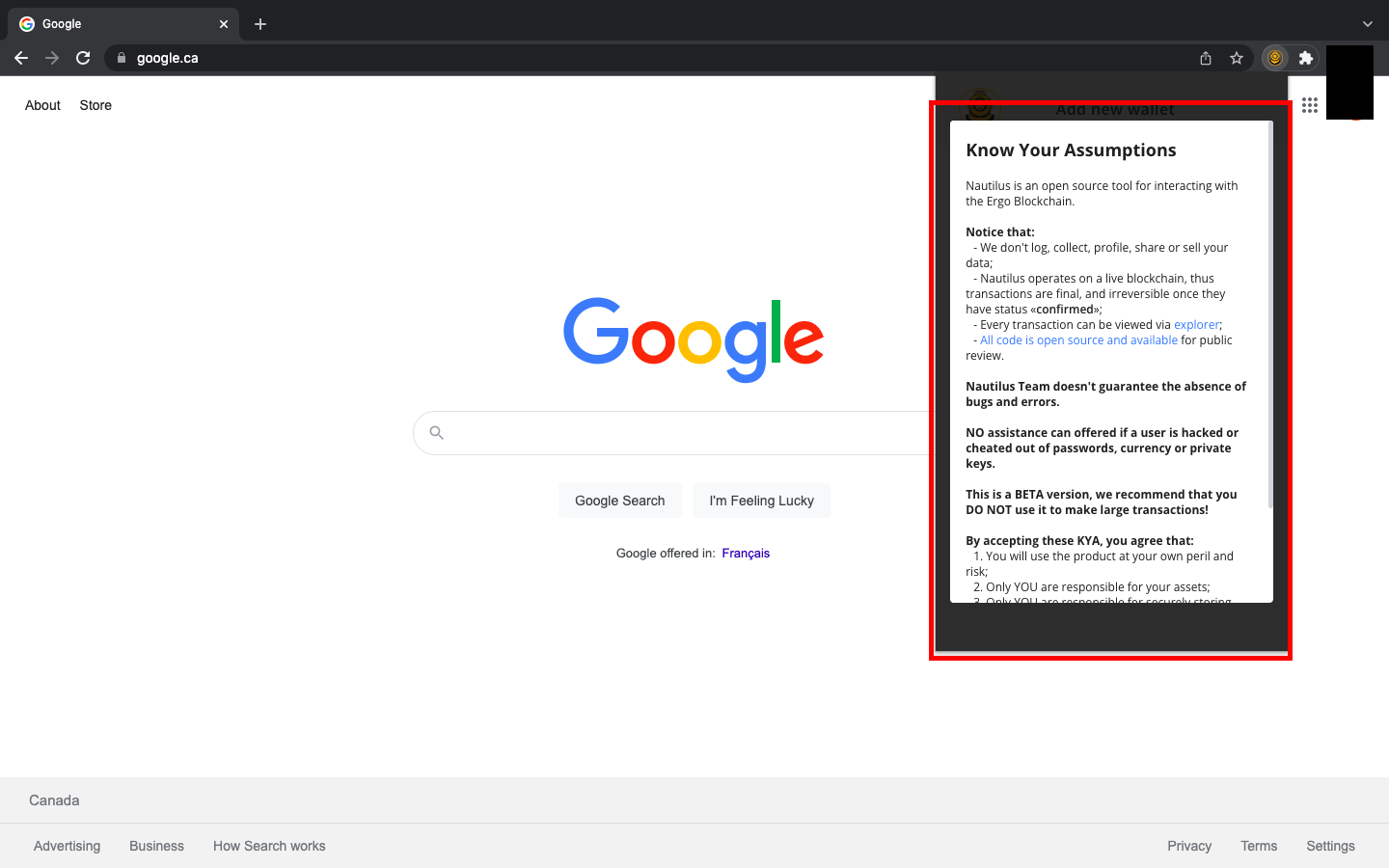
- Role até o final do KYA e selecione EU ENTENDO E ACEITO O KYA.
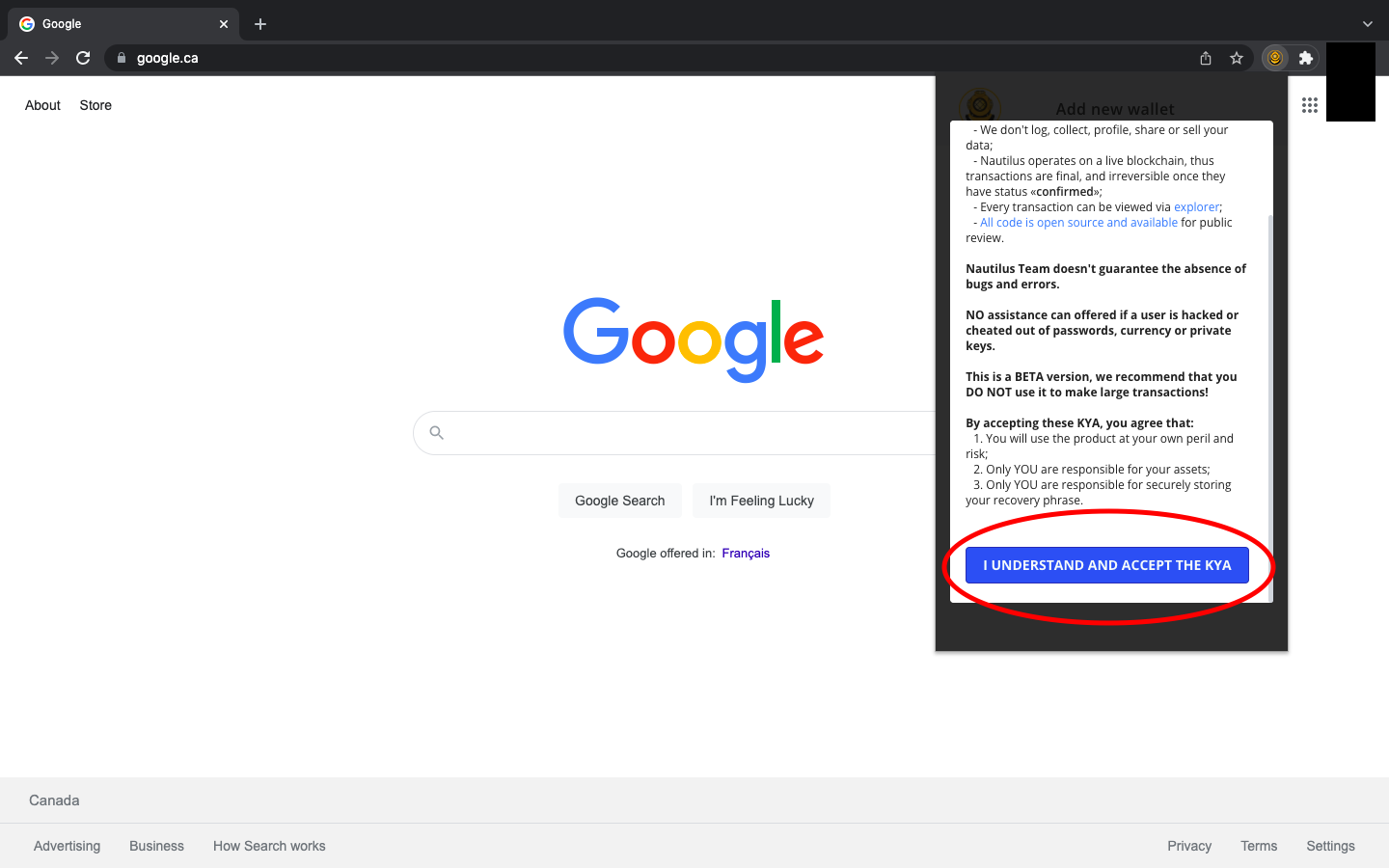
- Uma vez que você tenha aceitado o KYA, você verá três opções:
- Criar Carteira
- Restaurar Carteira
- Carregar Carteira Somente Leitura
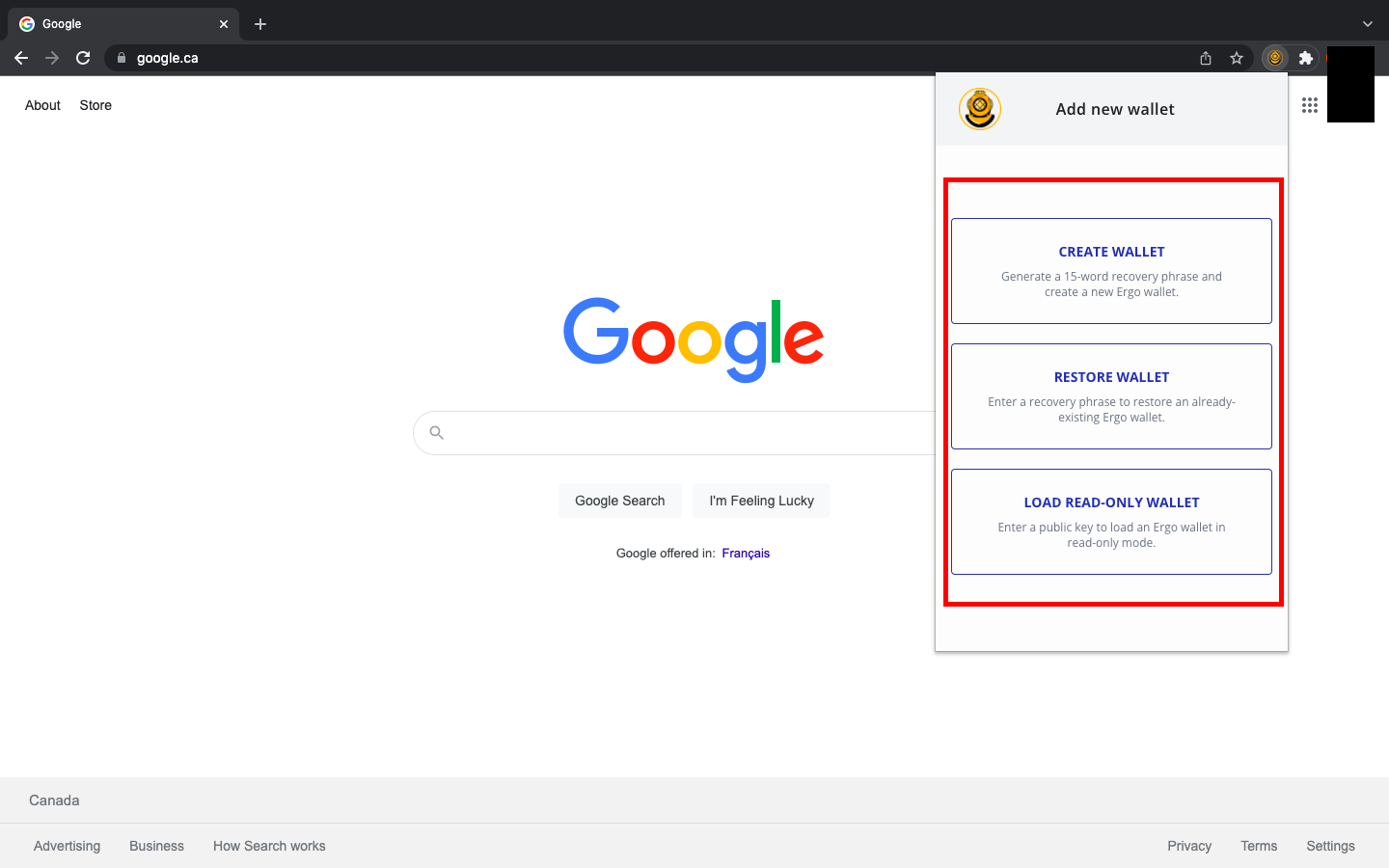
Se você tiver experiência anterior com carteiras Ergo, pode restaurar sua carteira na Nautilus com sua frase-semente. Se você tiver carteiras Ergo pré-existentes, também pode optar por usar a Nautilus como uma carteira somente leitura inserindo sua chave pública. Se esta for sua primeira vez usando uma Carteira Ergo, você selecionará Criar Carteira.
Criando uma Carteira e Entendendo os Recursos
Ao criar uma carteira pela primeira vez, há algumas regras de segurança importantes a serem seguidas. A coisa mais importante é escrever sua senha e frase-semente apenas no papel. Não armazene essas informações digitalmente e não tire fotos delas. Sua frase-semente é sua linha de defesa contra agentes mal-intencionados. Se alguém conseguir acessar sua frase-semente, poderá assumir o controle de sua carteira e de todos os ativos que você armazenou nela.
Após selecionar Criar Carteira, você verá uma tela onde pode nomear sua carteira, criar sua senha e anotar sua frase-semente de recuperação. Ela se parecerá com isto:
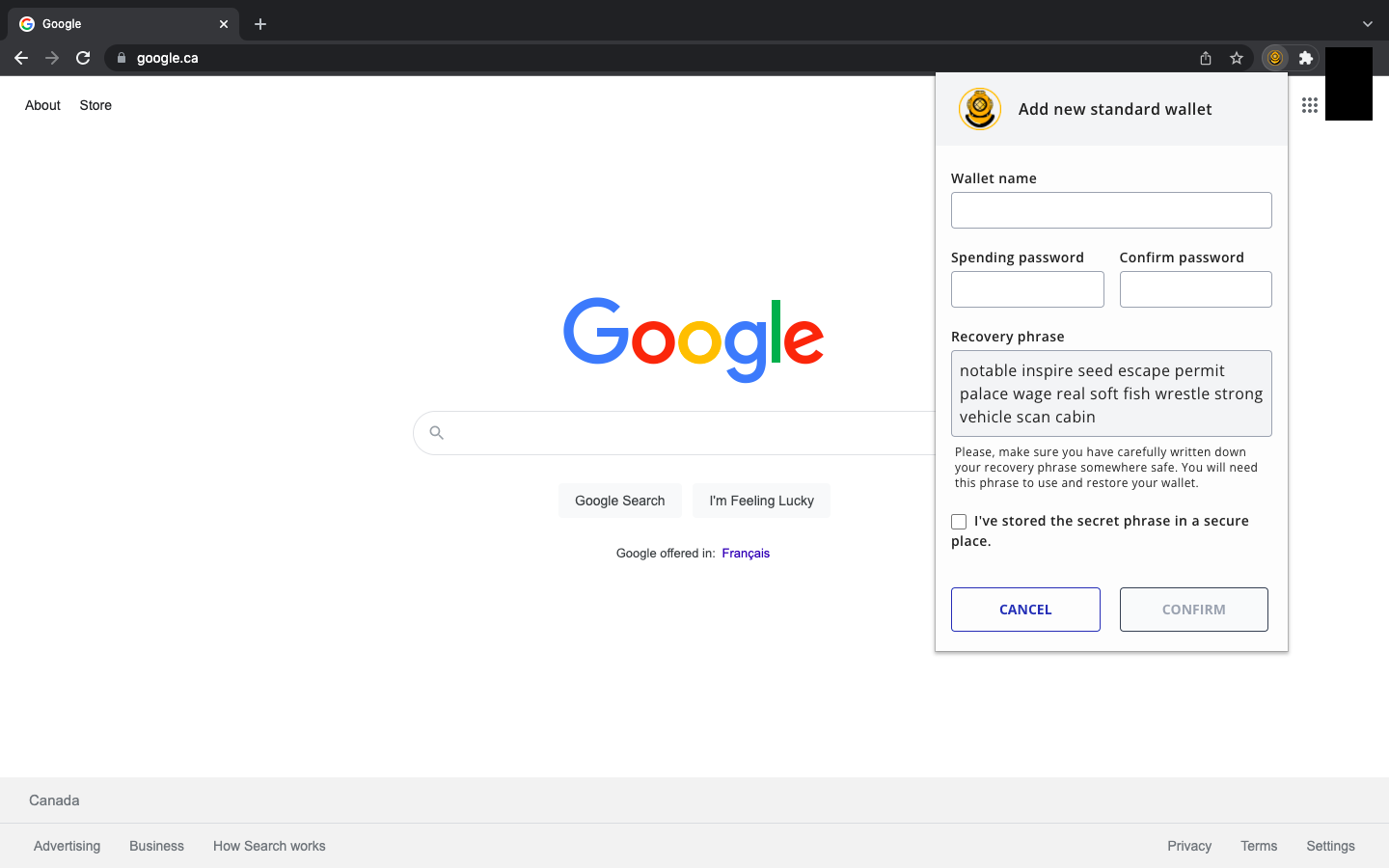
Pode parecer óbvio, mas sua frase-semente será diferente da que você vê na imagem acima.
Lembrete: Escreva sua frase-semente e senha no papel. Você pode fazer várias cópias e armazená-las em lugares seguros.
Após criar sua senha e armazenar sua frase-semente de recuperação, você selecionará Confirmar e verá o seguinte:
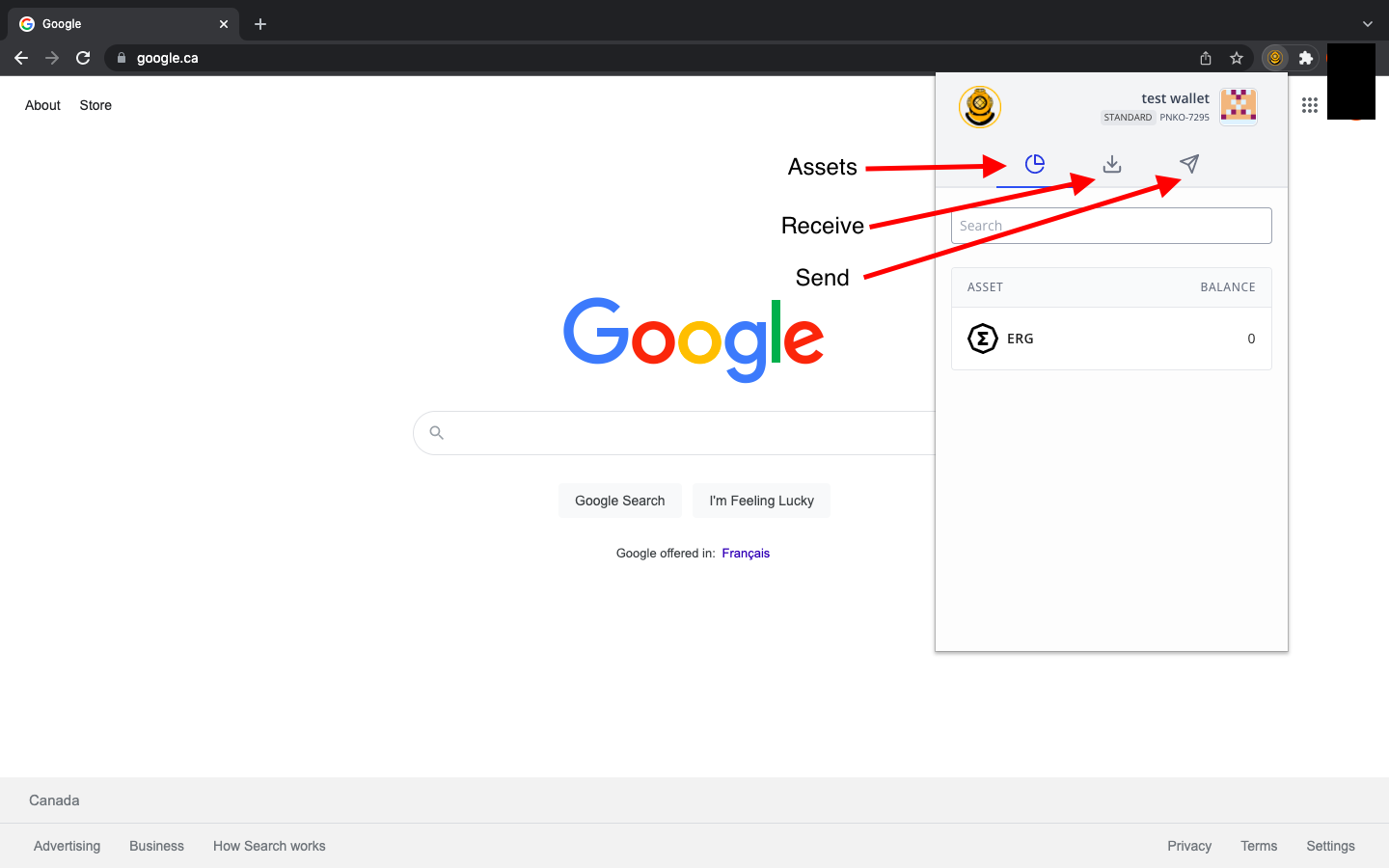
- A aba Ativos exibirá seu ERG, NFTs e outros tokens nativos.
- A aba Receber exibirá o endereço que você compartilha para receber quaisquer ativos do Ergo.
- A aba Enviar permitirá que você insira um endereço de recebimento para que possa enviar ativos/pagamentos do Ergo para outra carteira.
Ao se preparar para receber ativos, você verá a seguinte tela após selecionar a aba Receber:
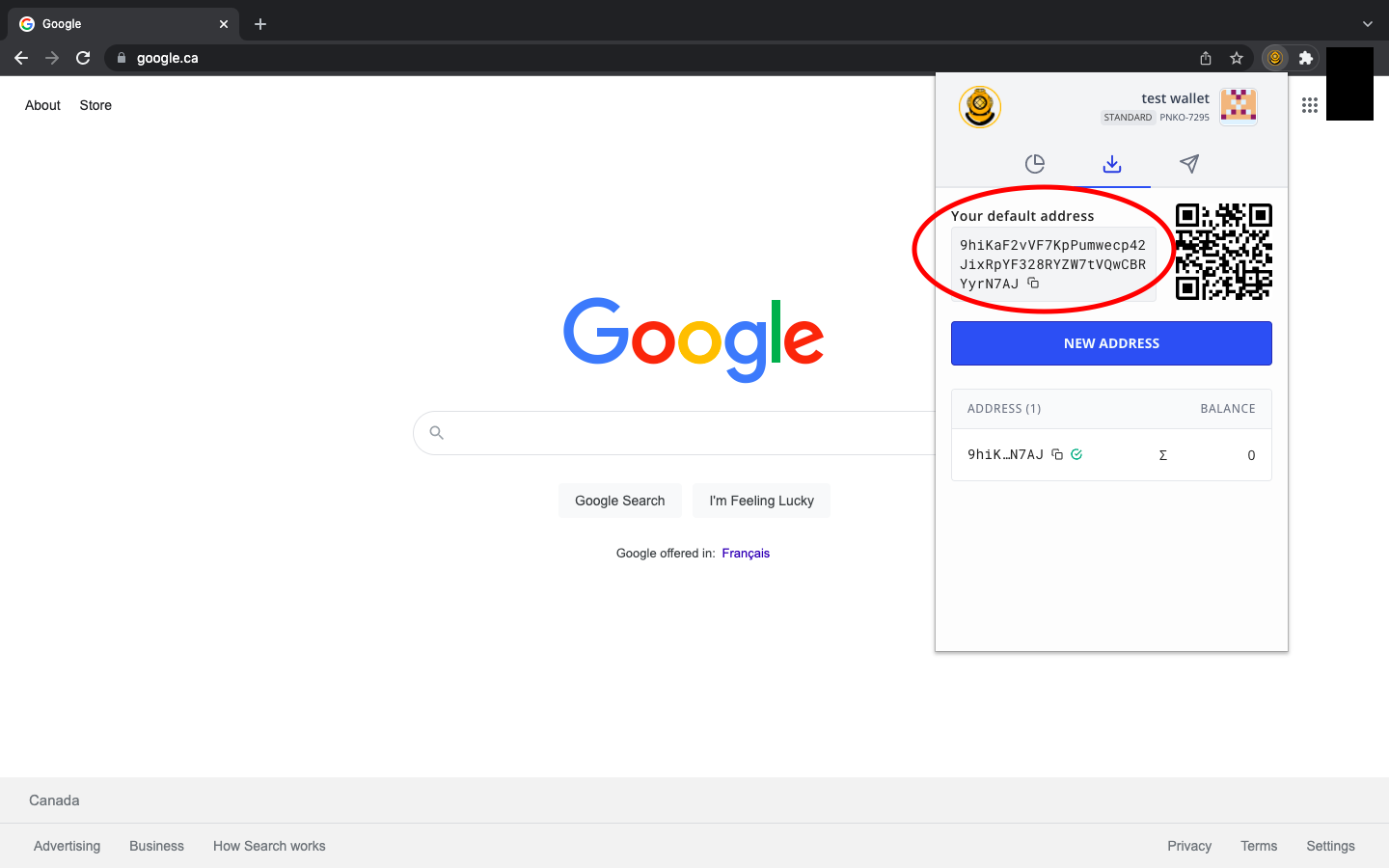
Seu endereço de recebimento aparecerá como uma série de números e letras, semelhante ao endereço na imagem acima. Se esta for sua primeira vez usando uma carteira Ergo (ou qualquer outra carteira de cripto), observe que seu endereço será completamente diferente do que você vê na imagem.
Se você estiver compartilhando seu endereço de recebimento, basta copiá-lo para a área de transferência do seu computador e enviá-lo para a pessoa ou contrato inteligente com o qual você está interagindo. Você pode facilmente copiar o endereço clicando nos dois quadrados sobrepostos no final do endereço.
Ao enviar ativos para uma pessoa, exchange ou contrato inteligente, você verá o seguinte:
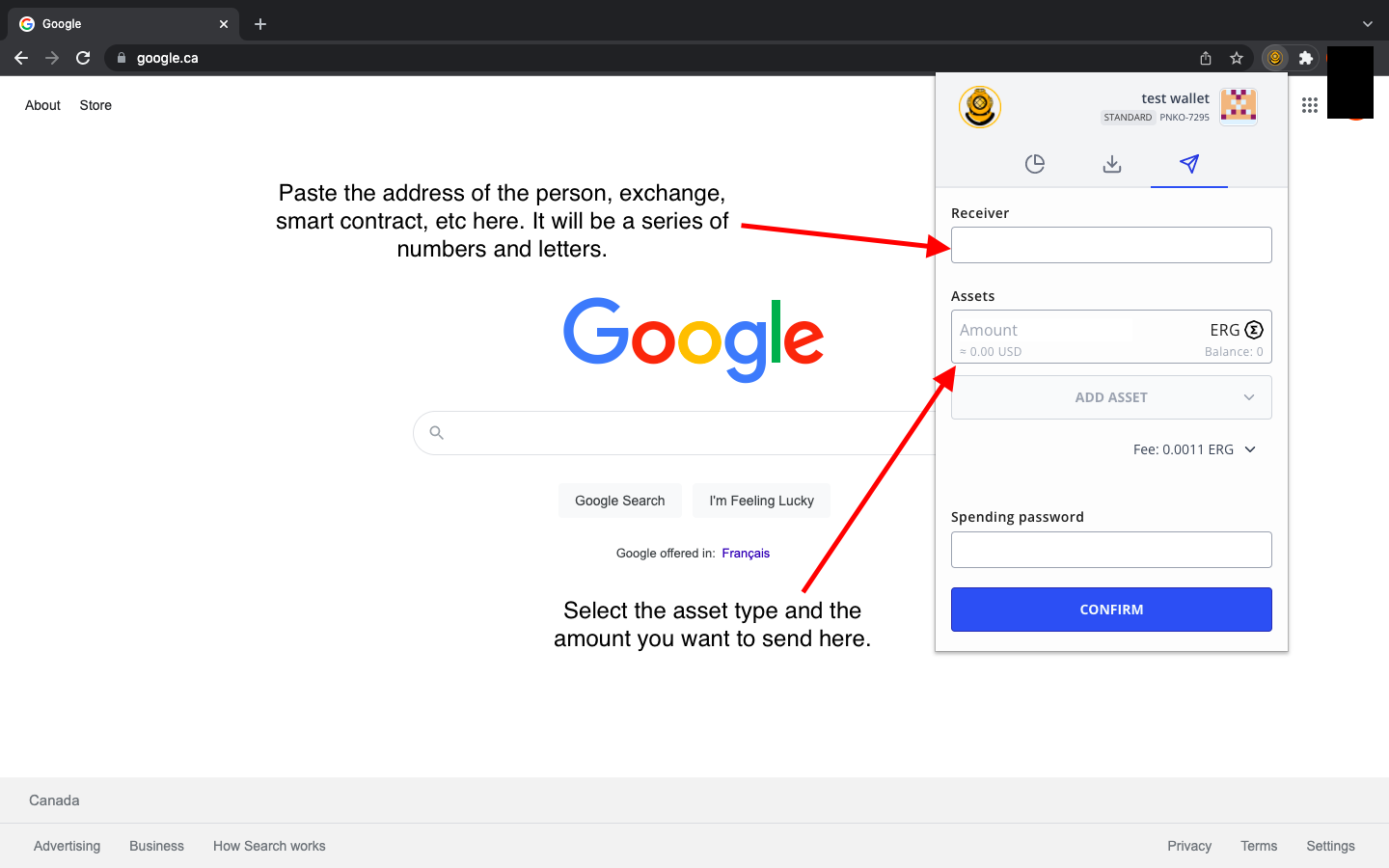
Você irá inserir o endereço de recebimento da pessoa, exchange, contrato inteligente, etc. Em seguida, você selecionará o ativo (pode ser ERG, um token nativo, um NFT, etc.) e inserirá quanto está enviando. Para completar a transação, você digita sua senha da carteira e, em seguida, seleciona Confirmar. É isso! É assim que você envia e recebe ativos na Carteira Nautilus.
Há mais alguns recursos a serem observados à medida que você se familiariza mais com a interface da carteira. Você pode acessar mais opções clicando no nome da carteira no canto superior direito da aplicação.
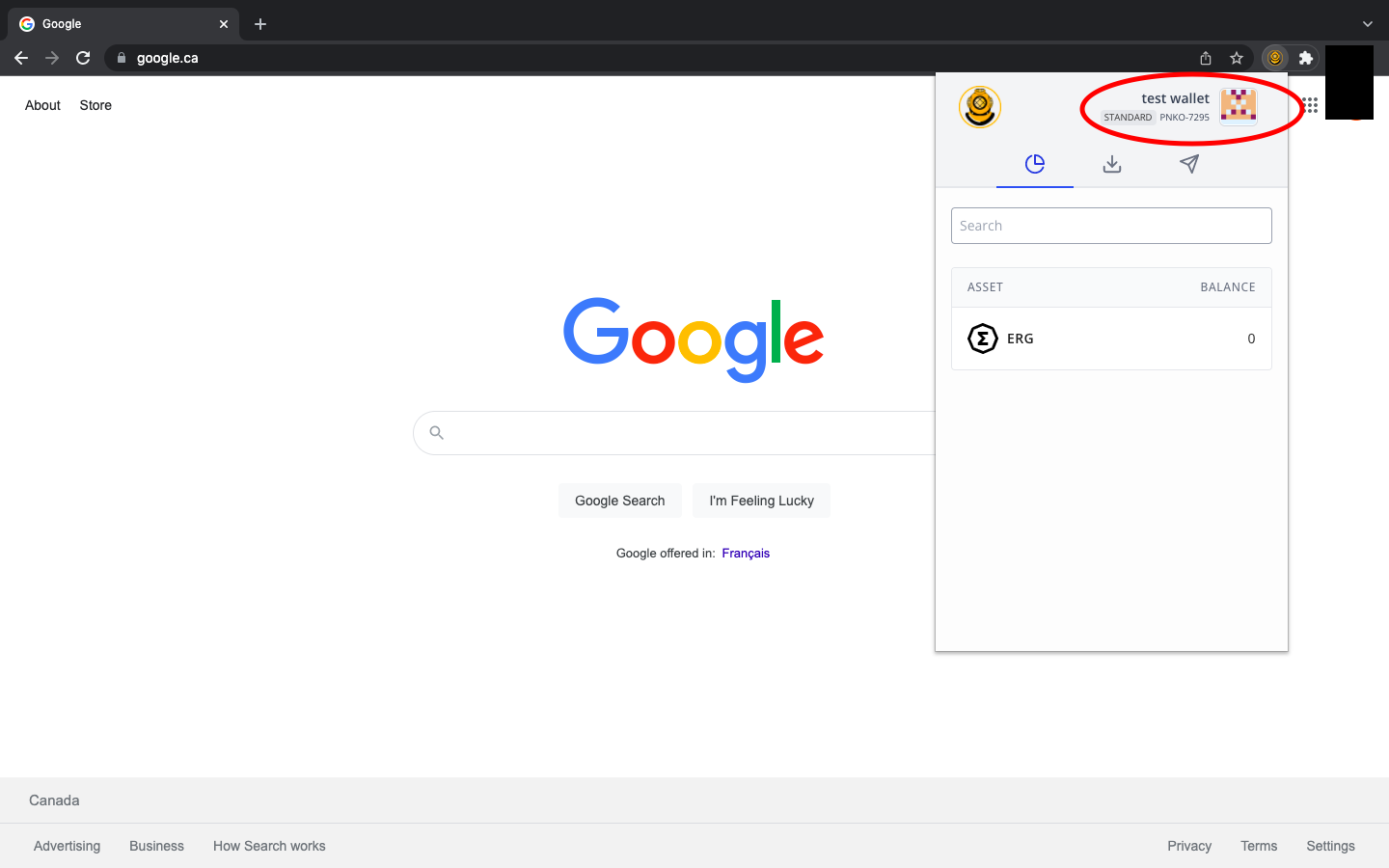
Após clicar no nome da carteira, você terá inicialmente quatro (4) opções:
- Adicionar nova carteira - simplesmente permite que você adicione carteiras Ergo adicionais
- Expandir visualização - permite que você visualize a aplicação como uma página web completa
- Configurações - configurações adicionais que discutiremos abaixo.
- Sobre - fornece informações sobre a aplicação e um endereço de recebimento da carteira Ergo para contribuir com o suporte financeiro ao desenvolvimento contínuo da carteira.
Se você usar esta carteira para interagir com quaisquer aplicações descentralizadas (dApps), verá uma quinta opção (dApps Conectados) que permitirá que você controle quais dApps estão conectados à sua carteira.
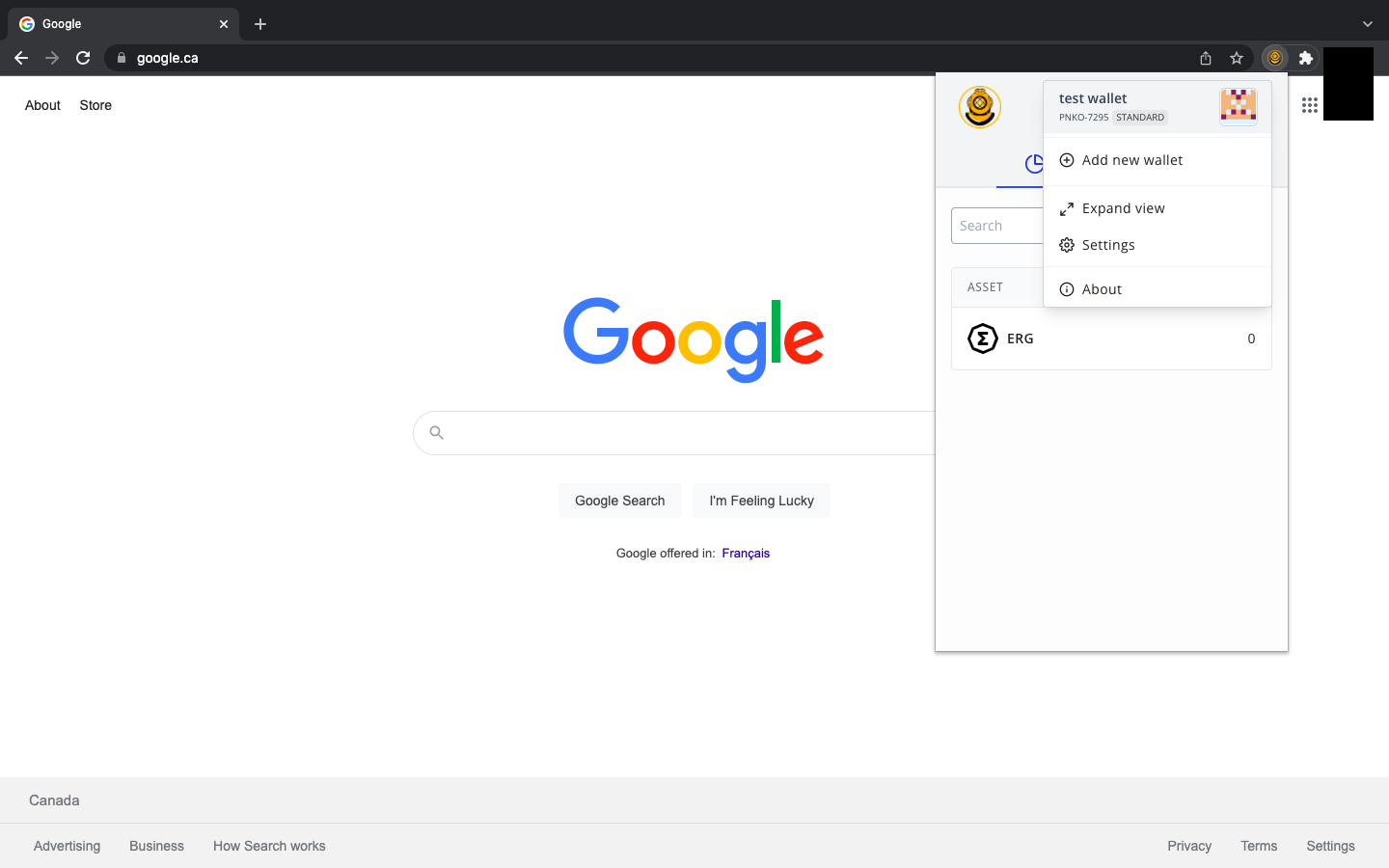
Vamos dar uma olhada na opção Configurações. Como foi mencionado anteriormente neste guia, a Carteira Nautilus possui alguns recursos de privacidade exclusivos.
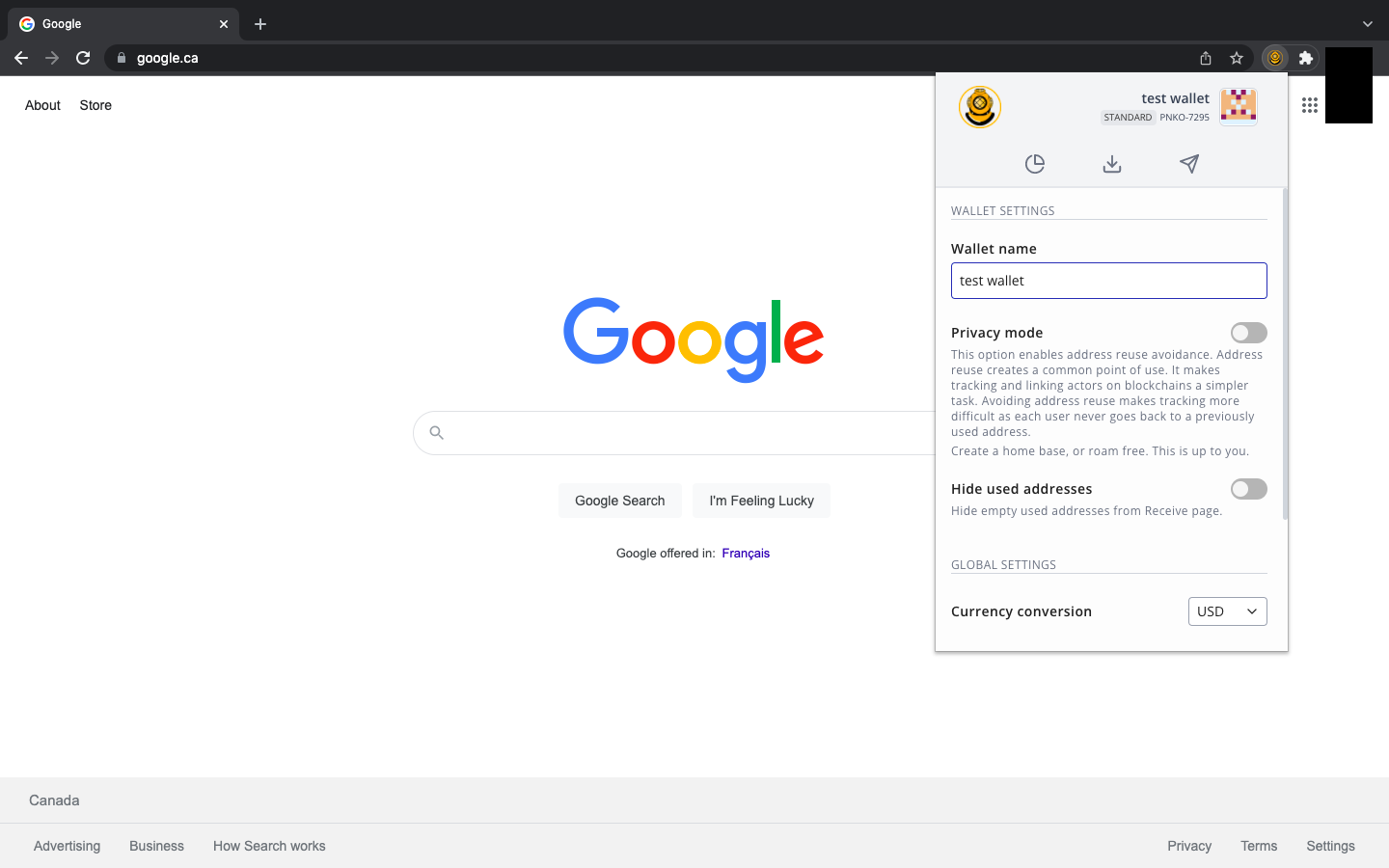
Como você pode ver na imagem acima, há uma opção de Modo de Privacidade. Quando você ativa esse recurso, sua carteira criará um novo endereço de recebimento para cada nova transação. Em outras palavras, sempre que você receber ativos, na próxima vez que for copiar seu endereço de recebimento, (na aba Receber) você receberá um endereço completamente novo. Esse recurso dificulta para agentes mal-intencionados ou entidades invasivas rastrear sua atividade na blockchain. Ativar esse recurso oferece mais privacidade em relação às suas finanças.
Recursos adicionais permitem que você oculte endereços de recebimento usados anteriormente e ajuste a conversão de ERG para sua moeda fiduciária preferida.
Bom trabalho! Você configurou sua Carteira Nautilus e explorou todos os recursos incorporados a este produto. Com esta carteira, você pode interagir facilmente com várias dApps no ecossistema do Ergo, incluindo** ErgoPad, a Casa de Leilão NFT, ErgoDEX e SigmaUSD.**
Share post
13 de agosto de 2025
12 de agosto de 2025

9 de julho de 2025
12 de maio de 2025
7 de abril de 2022
8 de março de 2022